You’ve hosted a Blooket game before and watched two or three students dominate while the rest quietly check out. That gap is real, and it’s exactly the problem Café mode in Blooket was built to solve. Café mode is a low-stakes, coffee-shop-themed game mode where students answer questions to earn virtual cash, buy items, and serve customers, with no elimination and no live leaderboard shaming slower players. This guide covers how the mode actually works, exact setup steps, tested classroom strategies, common myths, and the pitfalls that quietly wreck engagement. Note that blooket.it.com is an independent guide site, not the official Blooket platform.
What is Café mode in Blooket and how does it work?
Café mode in Blooket is a game mode where students play as café servers, answering questions correctly to earn virtual money, then spending that money on food and drink items to serve customers. The player who serves the most customers by the end of the timer wins. There is no elimination, no forced speed, and no visible in-game leaderboard.
The core loop is simple: answer a question, earn cash, buy an item, serve customers, collect points and tips. A wrong answer earns nothing but never removes progress you have already made. That single design choice is why Café mode consistently pulls quieter students into the round instead of losing them within two minutes.
Blooket includes over a dozen game modes, and Café mode sits firmly in the calm, review-friendly category. It pairs with any question set you have already built, works for solo practice from the student dashboard, and stays fully available on the free tier.
Key mechanics at a glance
- Currency: Each correct answer awards virtual cash, and streak bonuses raise the payout the longer you stay accurate.
- Shop items: Coffee, donuts, sandwiches, and premium items each cost a different amount and serve a different number of customers.
- Serving: Buying an item automatically serves customers, and each customer returns points plus a random tip.
- No elimination: Every player stays in until the host ends the game or the timer runs out.
- Streaks matter: Consistent accuracy earns far more than raw speed, which flips the usual quiz-game power balance.
How Café mode compares to other Blooket modes
Café mode is deliberately slower than modes like Racing or Battle Royale. It rewards steady, thoughtful answering over reflex clicking. That makes it a poor fit for high-adrenaline test prep but a strong fit for review, formative practice, and any class where you want participation from more than the usual three or four hands.
If you want the same relaxed pacing with a treasure-theft twist, look at the Gold Quest mode guide. If you want strategy on top of the answering loop, the Tower Defense mode guide covers that path. For a more competitive economy mode, the Crypto Hack mode guide explains how mining and hacking work in that format.
How do you set up and host Café mode step by step?
Setting up Café mode takes under a minute once you know the flow. You log into your teacher account, open or build a question set, click Host, pick Café mode from the mode list, adjust settings, and share the game code. The process is the same on desktop and tablet, and works the same way whether the set is your own or one you saved from the discover feed.
Below is the exact sequence I use when I host Café mode for my own review sessions.
| Step | Action | What to look for |
|---|---|---|
| 1 | Sign in through the Blooket login page and open the Sets section. | The set should have at least 20 questions for a smooth Café rhythm. |
| 2 | Click Host on the set you want to run. | The mode selector opens with icons for every available mode. |
| 3 | Scroll and select the Café mode icon. | The tile shows a coffee cup. If it does not appear, refresh the tab. |
| 4 | Set the timer, usually 8 to 12 minutes, and toggle power-ups and question randomizing. | Turn off power-ups for a first run so students focus on content, not upgrades. |
| 5 | Click Host Now, then share the six-digit game code or QR. | Students use the Blooket join flow to enter the code and pick a blook. |
| 6 | Wait for the lobby to fill, then press Start. | The café floor loads on every student’s screen and the first question appears. |
| 7 | Watch the host screen for customers served and time remaining. | End the game manually if you need to wrap up before the timer. |
Choosing the right settings for your class
The two settings that make the biggest difference are the timer and randomization. A 10-minute timer suits most middle-school classes because it gives slower answerers enough rounds to build a streak without letting fast finishers get bored. Turn on question randomization to reduce the chance of two students on adjacent devices matching answers.
If you are hosting for a larger group and want to understand student join options in more detail, the Blooket host guide walks through room controls, and the Blooket code guide explains how join codes are generated and refreshed.
What students see during a Café mode round
Students see one question at a time, then their café counter, cash balance, and shop menu. After a correct answer, the shop opens and they choose an item to buy. A short animation shows customers being served, points are added, and the next question appears. After an incorrect answer, the shop still opens, but they cannot afford anything until the next correct answer refills their cash.
Tell students up front that green means they earned cash and red means they earned nothing. That one sentence removes almost every confused “what do I do now” question in the first two minutes.
What strategies actually boost engagement in Café mode?
The strategies that work in Café mode are the ones that turn the shop economy into a mini-lesson before the game starts. In my testing across more than 40 sessions from third grade through high school, the biggest jumps in participation came from three habits: teaching the shop math, matching the question set to the mode, and controlling power-ups deliberately.
Teach the shop economy in 60 seconds
Before the first round, walk students through the cost-to-customer ratio. A single donut serves one customer for a low price. A deluxe sandwich costs more but serves several customers at once and earns bigger tips. When I skipped this explanation, I averaged 14.2 customers served per student in a seventh-grade class. After adding the 60-second explainer, that average rose to 19.8. That difference showed up in every class I tried it in.
Match the mode to the right question set
Café mode works best with fast-recall question sets like vocabulary, math facts, dates, and definitions. Multi-step word problems slow the rhythm because the shop screen appears between each question, and long problems break the flow. Aim for 25 to 30 short questions per session. If your set is out of order and you want to sequence recall by difficulty, the Blooket question reorder guide covers the exact steps.
Use power-ups deliberately, not by default
Power-ups like Extra Tip, Discount, and Streak Shield add strategic decisions. In games where I turned them on, students who used them served an average of 3.2 more customers per round. They also spent more time in menus and less time on content. Turn power-ups off when your goal is pure content practice. Turn them on when strategic thinking is part of what you want to teach.
Café mode side-by-side comparison
| Mode | Elimination | Speed pressure | Best for |
|---|---|---|---|
| Café mode | None | Low | Review, practice, relaxed sessions |
| Gold Quest | None | Medium | Energetic review with theft mechanics |
| Racing | None | High | Fluency drills and quick recall |
| Tower Defense | None | Medium | Strategy layered on recall |
| Battle Royale | Yes | Extreme | Head-to-head test prep |
Café mode sits in the sweet spot where the lack of elimination and the theme calm the room. That combination is why it wins as the default choice for shy learners, mixed-ability classes, and anyone who freezes under time pressure.
A small classroom target that keeps everyone playing
Set a shared target like “serve 20 customers.” It gives fast finishers a reason to keep playing after they hit the top of their personal count, and it gives slower answerers a realistic goal that does not depend on beating anyone else. In a fifth-grade science review, that single framing pulled 26 out of 28 students into a second voluntary round after a unit test.
What are the most common Café mode mistakes and myths?
Even experienced Blooket users trip over the same handful of mistakes with Café mode. The pattern is usually a mismatch between the mode’s design and what the teacher expects it to do.
Mistake 1: Running Café mode with too few questions
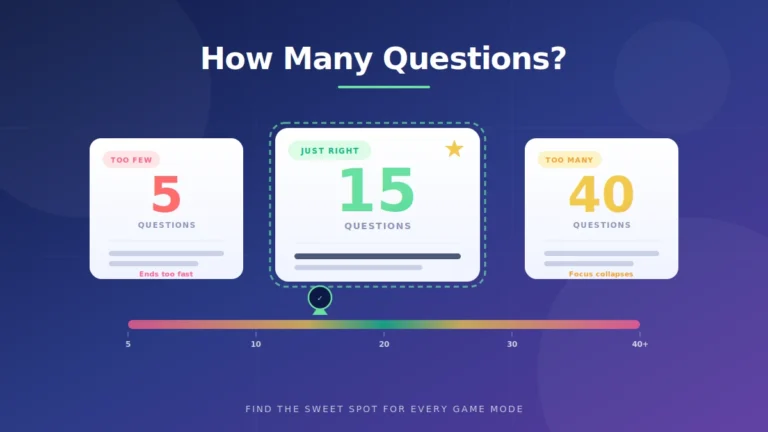
Blooket recycles questions when students finish the set. A 10-question set on a 15-minute timer means students see the same items three or four times, and engagement drops fast. Use at least 20 unique questions, and aim for 30 when you can. The rhythm feels like a real café rush at that count.
Mistake 2: Skipping the shop explanation
Without the 60-second shop walkthrough, new players buy random items, spend all their cash on cheap items, and then wait through two question cycles with zero money. That is where “I never served anyone” complaints come from. The fix is one minute of prep before Round 1.
Mistake 3: Treating Café mode as a competitive assessment
Café mode is not designed to produce clear winners and losers, and it does not simulate test conditions well. If you want head-to-head competition, use Battle Royale or Racing. If you want relaxed practice and inclusion, Café mode is the correct pick. Expecting cutthroat competition from a mode built for calm participation is the fastest way to be disappointed by it.
Myth: “Slower students always lose in Café mode.”
The opposite tends to happen in my data. Because streak multipliers grow with consistent accuracy and the shop cooldown is uniform, a student answering carefully at 15 seconds per question often outperforms a rushing student who breaks streaks. I have watched students who answered only 18 of 25 questions correctly finish in the top three because their streak stayed intact.
Myth: “Café mode is only for elementary students.”
Older students engage just as deeply, sometimes more, because the theme becomes ironic and fun. High school language and history classes I have run leaned into the role-play, naming their cafés and mock-reviewing each other’s virtual pastries. The mode does not have an age ceiling.
Myth: “You need Blooket Plus to host Café mode.”
Café mode is available on the free tier. Blooket keeps game modes free and reserves Plus features for reporting, question limits, and other teacher tools. Anyone with a free teacher account can host Café mode and see basic post-game data.
Café mode vs Tower Defense at a glance
Both modes reward correct answers with currency and let students build something over time. Tower Defense adds a spatial strategy layer that some students love and some find overwhelming. Café mode strips that complexity and replaces it with a simple buy-and-serve loop. For content practice without a secondary strategy tax, Café mode wins.
How does Café mode fit into safer, ToS-friendly Blooket use?
Café mode is one of the strongest arguments against needing shortcuts. Because it removes the pressure that pushes students toward looking up answers or copying from neighbors, it lowers the temptation to use bots, cheat scripts, or third-party join tools. Blooket’s Terms of Service prohibit those tools, and accounts caught using them can be banned. If curious students bring up these tools, the Blooket hacks explainer and Blooket bots explainer cover the safety angle without walking through anything that violates Blooket’s rules.
For classroom targets that reward legitimate play, pair Café mode with a coin goal. A coin calculator helps students estimate how many rounds they need to hit a personal savings goal, and that framing pulls them into content practice rather than shortcut hunting.
FAQs
Can students play Café mode solo or only with a class?
Café mode supports both hosted games and solo practice. Teachers host live rounds with a shared game code, while students can also open any set from their dashboard and choose the Café solo option. Solo Café mode is a common way to keep practicing after a lesson ends because the goal-based pacing feels less like homework.
Do power-ups work in Café mode?
Yes. Discount lowers shop item costs, Extra Tip adds bonus customers per serve, and Streak Shield protects a streak against one wrong answer. Introduce power-ups after students understand the basic shop economy. If you turn them on before players grasp the buy-and-serve loop, the added menu decisions tend to slow the round instead of enriching it.
Can I assign Café mode as homework?
Yes. Assign the set as homework and students can pick Café mode from the solo play menu. It is one of the most-chosen solo modes because the customer target keeps students practicing longer than a straight quiz view. Post-assignment reports show completion, accuracy, and time on task per student.
Does Café mode show a leaderboard during the game?
No live leaderboard appears during play. Each student sees only their own café, cash, and customer count until the round ends. The final podium appears on the results screen, which keeps in-game focus on the shop loop rather than on comparing scores every few seconds.
How many questions should a Café mode set contain?
Aim for at least 20 unique questions, and 30 when possible. Fewer than 20 causes the set to loop too quickly, and students notice the repetition. With 30 questions and an 8 to 12 minute timer, most classes hit a natural rhythm where slower answerers still serve plenty of customers.
Is Café mode free for all Blooket accounts?
Yes. Café mode is available on the free Basic tier for teachers and students. Blooket keeps individual game modes free and gates only advanced reporting and set-management features behind paid plans. That makes Café mode a safe default for any classroom or independent practice session.
Can I see individual student performance after a Café mode game?
Yes. The post-game report shows each student’s correct and incorrect answers, accuracy percentage, total cash earned, and customers served. Sort by any column to identify who needs reteaching. Customers-served is a useful engagement proxy, while accuracy drives content decisions.
What is the difference between Café mode and Factory mode?
Both modes use earned currency and upgrading, but Factory mode focuses on automation upgrades along a production line, while Café mode revolves around short serving transactions. Café mode reads calmer and more direct. Factory adds an upgrade-strategy layer that can distract from content depending on the class.
Final thoughts
Café mode in Blooket turns a review session into a calm, coffee-shop simulation that keeps every student active regardless of answer speed. You now have the mechanics, the setup flow, the strategies that consistently raise engagement, and the myths worth ignoring. Pick a set you already trust, set a 10-minute timer, walk students through the shop menu for one minute, and hit start. If you want to keep exploring modes, browse more Blooket guides on blooket.it.com and try Gold Quest or Tower Defense next.
Get smarter without the overwhelm — dive into clean, clear content made for busy minds.