
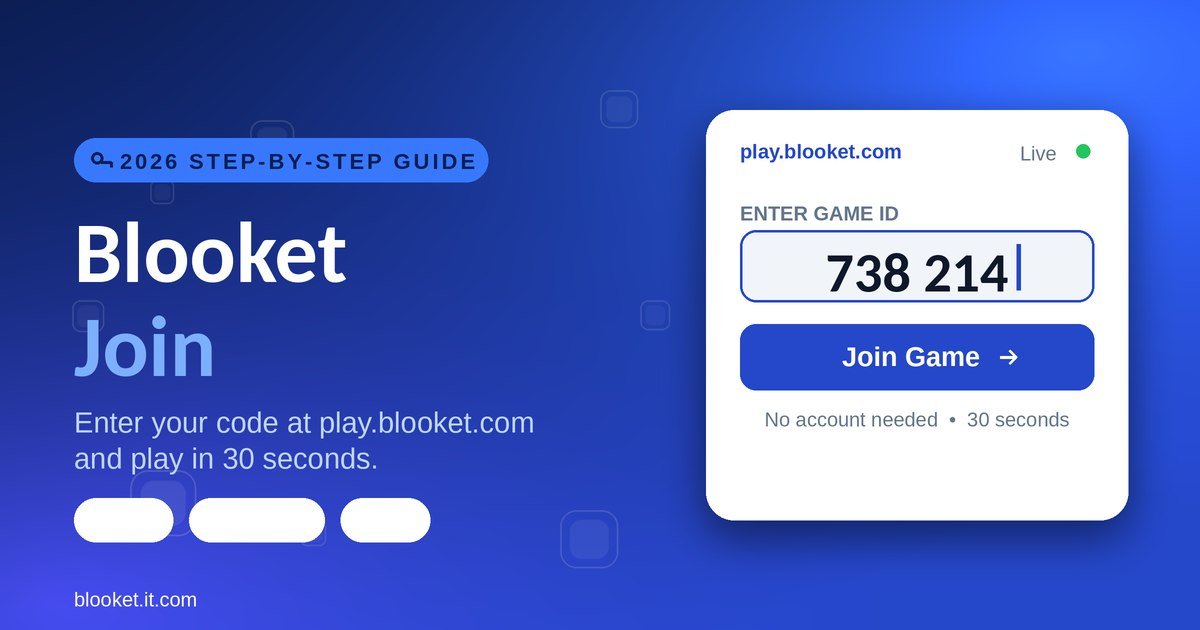
Your teacher says “go to Blooket and enter the code.” Half the class is already playing while you’re still hunting for the right page. To join a Blooket game, go to play.blooket.com, type the 6 or 7-digit code your teacher shared, pick a nickname, choose a Blook, and click Join — about 30 seconds, no account required.
That’s the whole answer. This guide covers everything around it: the three official ways to join (not just the code), where to find a code, how to fix every error including the ones other guides never mention, and how to be first into the lobby every time. No fluff, no filler.
What Is Blooket Join?
Blooket Join is the process of entering a live, host-run Blooket game using a short numeric code, a QR code, or a shared link. You don’t need an account, an email, a password, or an app — a browser and the code are enough, and you’re playing in under 30 seconds.
Blooket itself is a free, browser-based quiz platform where students answer questions inside real mini-games instead of on a plain worksheet. It’s made by Blooket LLC, an independent company in Middletown, Delaware, and it launched publicly in October 2020. Since then it’s grown past ten million users across more than 50 countries.
The reason “Blooket Join” gets searched millions of times is simple: it’s the single action every student takes at the start of class, and the page they need isn’t the obvious one. Type blooket.com and you land on the marketing site. The join page lives on its own address, which is exactly what trips people up.
Here’s where Blooket stands in 2026, at a glance:
| Detail | 2026 |
|---|---|
| Where you join | play.blooket.com |
| Ways to join | Code, QR scan, or Join Link |
| Account needed to join | No |
| Cost to join | $0 |
| Game modes | 27 (18 free + 9 Plus) |
| Free player limit | 60 per game |
| Plus player limit | 300 per game |
| Collectible Blooks | 330+ |
What Do You Need Before You Join a Blooket Game?
You need exactly three things to join: an internet-connected device, a web browser, and the game code from your host. That’s it. No account, no email, no password, no credit card, and no app download — Blooket runs entirely in the browser on any device.
Here’s the full checklist so nothing surprises you mid-class.
You need these three things:
- A device with internet — phone, laptop, tablet, or Chromebook all work equally well.
- A modern browser — Chrome, Safari, Edge, or Firefox. Chrome tends to load fastest.
- The game code — the 6 or 7-digit number your teacher or host gives you.
You do not need any of these:
- A Blooket account. Guest mode joins any live game.
- A password or email. Blooket never asks a guest for either.
- A credit card. Joining is free forever.
- An app. There is no official Blooket app; the website is the product.
If you have a device, a browser, and the code, you’re ready to join. One small caveat worth knowing now: if you want your points, coins, and your own Blook to save, you’ll want to log in first — more on that below.
How Do You Join a Blooket Game? Step by Step
There are three official ways to join a Blooket game: enter the code at play.blooket.com, scan the host’s QR code with your camera, or click a shared Join Link. All three land you in the same lobby. The code method is the most common, so here it is in full.
Method 1 — Enter the code at play.blooket.com
Step 1 — Get the game code. Your host shares a 6 or 7-digit number that looks like 825461 or 7433039. It might be on the whiteboard, in Google Classroom, in a video-call chat, or read aloud. Write it down; one wrong digit locks you out.
Step 2 — Open any browser. Use whatever you normally do. Nothing to install, nothing to download.
Step 3 — Go to play.blooket.com. Type it into the address bar at the very top of the browser, not the Google search box. This is the detail that trips up most people: it is not blooket.com and not blooket.com/join. The play subdomain exists purely for joining live games. Bookmark it now.
Step 4 — Enter the game code. Type the number into the “Enter Game ID” box with no spaces and no dashes. Codes are always numbers, never letters — if you think you see an “O,” it’s a zero. Then press Enter.
Step 5 — Pick a nickname. This is what your host and classmates see on the leaderboard. Use your real first name so your teacher can match your score to you for grading. If your host turned on “Use Random Names,” you’ll be handed an auto-generated name instead and skip this step.
Step 6 — Choose your Blook. Blooks are the avatar characters — animals, robots, monsters, food. Pick any one; your choice has zero effect on gameplay. All 330+ Blooks perform identically.
Step 7 — Click Join. If the code is valid and the lobby is open, you’re in immediately.
Step 8 — Wait in the lobby. You’ll see your name, your Blook, the player count, and “waiting for host to start.” Don’t refresh, don’t close the tab, don’t switch apps. Your host starts when everyone’s in.
Step 9 — Play. Questions appear, you answer, and every correct answer earns points, coins, or a mode-specific advantage. Total time from code to playing: under 30 seconds once you know the routine.
Method 2 — Scan the QR code
If your host displays a QR code on the board, this is the fastest route on a phone or tablet. Open your camera app, point it at the QR code, and tap the notification that appears. It opens play.blooket.com with the code already filled in, so you jump straight to picking a nickname. Most guides never mention this, but it’s the quickest join method in a room with a projector.
Method 3 — Click the Join Link
Some hosts share a direct Join Link instead of a code, often posted in Google Classroom or a chat. Click it and you’re taken straight into the lobby with the code applied automatically. This is common for remote classes and homework games, where there’s no board to read a code off of.
Where Do You Get a Blooket Join Code?
A Blooket Join code comes from whoever is hosting the game — almost always your teacher. They generate a unique 6 or 7-digit code the moment they start hosting, then share it with the class. You cannot invent or guess a code; it only exists while that specific game is live.
Teachers and hosts share codes in a handful of predictable places. On the classroom whiteboard or projector, usually in large numbers alongside a QR code. In Google Classroom, Canvas, or another learning platform as a code or a Join Link. In a video-call chat during remote lessons on Zoom, Meet, or Teams. Or simply read aloud at the start of class.
One important detail most guides skip: not all codes expire the same way. A live-game code dies the second the host ends the session, so it’s only good for those few minutes. A homework or solo-assignment code, though, can stay valid for days or weeks, letting you play at your own pace. If a code your teacher gave you last week still works, it was almost certainly a homework assignment. For everything about codes — types, length, and why one stops working — see the Blooket Code guide.
A quick caution: you’ll find “live” codes shared in Discord servers and on YouTube streams. Those are public games run by strangers, not your class, and they can disappear without warning. For schoolwork, only use the code your own teacher gives you.
Blooket Join on Chromebook, Phone, and iPad
Blooket Join works identically across devices because it runs in the browser — but each device has one quirk worth knowing. The short version: use a phone or tablet to join quickly by QR code, and use a Chromebook or laptop when you also want to host or read reports.
On a Chromebook, which is the most common school device, open Chrome and go to play.blooket.com. If the page shows a white screen, your district firewall may be blocking part of Blooket — going straight to play.blooket.com sometimes slips past a filter that only blocks the main domain. If it’s still blocked, that’s a setting your school IT team controls.
On an iPhone or iPad, open Safari or Chrome, or just scan the host’s QR code with the camera app, which is faster than typing. There’s no app to download; ignore anything in the App Store claiming to be official Blooket.
On an Android phone or tablet, open Chrome and either enter the code at play.blooket.com or scan the QR code. Use Wi-Fi rather than mobile data for a steadier connection, and close other tabs so the game doesn’t lag.
Blooket Join vs Blooket Login — What’s the Difference?
Blooket Join enters a live game with a code and needs no account. Blooket Login signs you into your personal account to save coins, Blooks, and history. You can join without ever logging in — but if you want your progress to stick, log in first, then join.
This is the single most common mix-up, so here’s the clean breakdown.
| Feature | Blooket Join | Blooket Login |
|---|---|---|
| What it does | Enters a live game | Opens your personal account |
| Account required | No — guest works | Yes |
| Code required | Yes | No |
| Saves coins and Blooks | No (guest) | Yes |
| Where you go | play.blooket.com | id.blooket.com |
| Time to complete | Under 30 seconds | 1–2 minutes |
The rule of thumb: if your teacher says “let’s play Blooket,” you just need to join. If you want to build a Blook collection and track your stats over time, create a free account and log in first. The full walkthrough of every sign-in method lives in the Blooket Login guide.
Do You Need an Account to Join Blooket?
No. Students never need an account to join a live Blooket game — guest mode works with just a code and a nickname. You only need to log in if you want to earn and keep coins, use your own Blook, or see your game history afterward. Hosts, on the other hand, always need an account.
Here’s the nuance that even Blooket’s own help page emphasizes: guest play is fully functional, but nothing you earn is saved. Answer questions, compete, finish the game — and when you close the tab, your coins and any Blooks vanish. That’s fine for a one-off classroom game.
If you play every week, though, the two-minute signup is worth it. Log in before you join, using the same account each time, and every game you join then feeds one saved collection and one running history. To set that up, go to id.blooket.com, choose Student or Teacher, and sign up with Google or email. Just remember the account type is permanent — a student account can’t later become a teacher account.
All 27 Blooket Game Modes You Might Join in 2026
When you join a Blooket game, the host has already picked the mode, and there are 27 of them — 18 free and 9 reserved for Blooket Plus. The mode decides whether you’re stealing gold, defending towers, or running a café, even though the questions underneath stay the same. Here are the ones you’ll actually land in.
Gold Quest is the most-hosted mode by far. You answer to earn gold and open chests, and those chests can hand you gold or cards that steal, swap, or freeze other players. The stealing keeps everyone invested to the final second.
Tower Defense and its harder sequel Tower Defense 2 turn correct answers into energy you spend building towers against waves of enemies. They reward planning as much as knowledge and are among the most replayable modes.
Café puts you in charge of a coffee shop, serving customers as you answer correctly. It’s calm and paced for younger students. Factory is similar in spirit — manage a production line that grows as you answer.
Battle Royale eliminates you on a wrong answer, last player standing wins. Racing turns answers into speed toward a finish line. Classic strips away the extras: answer, score, highest wins.
Fishing Frenzy has you catch fish of different values, and Crypto Hack is a team mode where players “hack” or defend digital wallets — pure classroom metaphor, no blockchain involved. Plus-only modes you might see include Zorblitz, Star Grazer, Busy Bees, and Mini Mine.
An accuracy note that sets this guide apart: several modes you’ll still see listed on older sites no longer exist. Tower of Doom, Pirate’s Voyage, Snowball Fight, and Imposters have all been retired and haven’t returned. Blooket folded Snowball Fight’s mechanics into Blook Rush and replaced Imposters with the dinosaur-themed Deceptive Dinos. If a guide still tells you to join a Tower of Doom game, it hasn’t been updated in a long time. For strategy on every current mode, see the Blooket Play guide.
Why Isn’t Blooket Join Working? Every Error Fixed
Most Blooket Join failures come down to five things: a mistyped code, an ended or unstarted game, a school firewall, a dropped connection, or a rejected nickname. The fastest universal fix is to refresh the page and re-enter the code carefully. Here’s each problem in detail.
“Invalid Game ID”
This means the code doesn’t match a live game. You mistyped it, the game already ended, the host hasn’t started yet, or you’re using an old code. Re-read it slowly (remember, numbers only), then ask your host to reshare today’s code.
Error C103
This specific error usually means the code is invalid or the session has timed out. Refresh your browser and re-enter the code. If the game has already started and the host didn’t enable “Late Join,” you won’t be able to get in — ask them to let you rejoin.
The page won’t load or shows a white screen
Usually slow internet, a school network block, or an outdated browser. Refresh with F5 (or pull down on mobile), close and reopen the browser, try a different one, or ask whether your school firewall is blocking Blooket. Going directly to play.blooket.com sometimes bypasses a block on the main domain.
You got kicked out mid-game
Almost always a connection issue — Wi-Fi dropped, too many devices on the network, or battery-saver mode throttled your browser. Confirm other sites load, move closer to the router, close other tabs and apps, and ask your host if rejoining is allowed.
Your nickname was rejected
You used a symbol or emoji, the name is too long, or it’s already taken. Use letters and numbers only, keep it under 15 characters, and add a number if needed (like “Alex2”).
The game is full
Free games cap at 60 players, so a popular session can fill up. Wait for the next round — teachers almost always run several. If you’re the host and hit the cap often, Plus raises the limit to 300.
Quick-fix reference
| Problem | First thing to try |
|---|---|
| Invalid Game ID | Re-check the code, get a fresh one from the host |
| Error C103 | Refresh and re-enter; ask host to enable Late Join |
| Page won’t load | Refresh, try another browser, check the firewall |
| Kicked out mid-game | Check Wi-Fi, close tabs, ask to rejoin |
| Nickname rejected | Letters and numbers only, under 15 characters |
| Game is full | Wait for the next round |
How to Join Faster Than Everyone in Class
To be first into the lobby every time, prepare before class and move the instant the code appears. Bookmark play.blooket.com now, keep your browser updated, charge your device, and close extra tabs. When the code drops, type it immediately, use your real first name, and pick the first Blook you see.
A little more detail on habits that genuinely save seconds:
Before class, bookmark play.blooket.com so it’s one tap away instead of a search. Keep your browser current, because outdated versions load slower. Charge your device so it doesn’t die mid-game, and close background tabs to free memory.
When the code is shared, don’t overthink it. Type the code the moment you see it, choose your real first name as your nickname without pausing, and grab whatever Blook appears first — they’re all identical in play. Then click Join the instant the button lights up.
During the game, read the full question before answering; rushing causes wrong answers that cost more than the second you saved. Ignore the countdown timer and focus on the question. Blooket shows the correct answer after each one, so treat misses as free review, and stay off other apps.
Is Blooket Join Safe for Students?
Yes. Blooket was built for classrooms, and safety is designed in. Joining needs no personal information, there is no chat feature anywhere on the platform, and a game requires a specific code — so random strangers can’t wander into your class session. The host controls everything and can remove anyone.
During a game, your teacher can see your nickname, which answers you got right or wrong, your score, and when you joined. They cannot see your real name (unless you use it), your location, your email, or anything else on your device. That narrow visibility is exactly what makes it classroom-appropriate.
For parents: Blooket follows COPPA (the Children’s Online Privacy Protection Act) and FERPA, the U.S. laws protecting student data, and schools across the country have relied on it for years. One honest caution, though — avoid any third-party “join hack” or bot tool. Most are useless client-side tricks, and some carry malware; the Blooket Hacks and Blooket Bot pages explain why they’re not worth the risk.
How Do Teachers Set Up a Game to Join?
Understanding the host side explains why joining behaves the way it does. A teacher picks a question set, chooses a mode, clicks Host, and Blooket generates the code, QR code, and Join Link students use. Two host settings — “Use Random Names” and “Late Join” — directly change your join experience.
The full host flow takes under two minutes: log in, open Discover or My Sets, pick a set, click Host, choose a mode, and configure the settings. Then Blooket produces the join details to share, and the host clicks Start once enough students are in.
Two settings matter most from a student’s side. Use Random Names replaces your chosen nickname with an auto-generated one — useful for anonymous or public sessions, and the reason you sometimes can’t pick your own name. Late Join decides whether you can enter after the game has already started; if it’s off and you’re late, you’ll have to wait for the next round. Teachers who want the complete setup, plus the post-game reports that show which questions tripped students up, will find it in the Blooket Host and Blooket Dashboard guides.
Blooket Join vs Other Quiz Platforms in 2026
Blooket’s edge over other classroom quiz tools is variety and a code-based join that keeps sessions private. Where most platforms offer one or two ways to play, Blooket has 27 game modes, so the same questions feel new for weeks. Here’s how the main options compare.
A quick heads-up that confuses people: Quizizz rebranded to Wayground on June 24, 2025, so you’ll still see the old name in older menus and guides.
| Platform | Ways to play | Join method | Standout strength |
|---|---|---|---|
| Blooket | 27 modes | Code, QR, or link | Mode variety + Blook collecting |
| Kahoot | 1 main mode | Game PIN | Fast, familiar live rounds |
| Gimkit | 10+ modes | Class code | In-game money strategy |
| Wayground (ex-Quizizz) | 5+ modes | Join code | Strong self-paced + AI quizzes |
| Quizlet | Flashcards | Class link | Best pure memorization |
The takeaway: every other platform gives students one or two ways to play, while Blooket gives 27. That variety is why students stay engaged across a full unit, and why teachers can match the mode to the energy of the lesson — a calm Café for review, a chaotic Gold Quest before a test. For deep, self-paced assessment Wayground still wins; for pure flashcards, Quizlet does. Blooket wins on engagement and fun.
Common Blooket Join Mistakes to Avoid
Most failed joins trace back to a small set of avoidable habits. Typing the code wrong, using a silly nickname, joining late, and multitasking during the game cause the majority of problems students run into. Here’s how to sidestep each one.
| Mistake | Why it hurts | How to avoid it |
|---|---|---|
| Typing the code wrong | You can’t join at all | Double-check before pressing Enter |
| Going to blooket.com to join | Wrong page, wasted time | Use play.blooket.com only |
| A silly or symbol-filled nickname | Teacher can’t grade you; name rejected | Use your real first name, letters/numbers only |
| Joining late | The game may be full or started | Join the moment the code appears |
| Dead battery | Kicked out mid-game | Charge your device before class |
| Multitasking mid-game | Wrong answers, lower score | Focus only on Blooket |
| Trusting a “join hack” | Malware risk, possible ban | Never use third-party join tools |
Frequently Asked Questions About Blooket Join
Does Blooket Join cost money? No. Joining a Blooket game is completely free and always has been. There’s no credit card, subscription, or trial required. Only hosts who want the premium tier pay for Blooket Plus; students joining a game pay nothing, ever.
Can I join Blooket on my phone? Yes. Open Chrome or Safari, go to play.blooket.com, and enter the code — or scan the host’s QR code with your camera, which is faster. The experience is identical to a laptop, and there’s no app to download.
Do I need an account to join a Blooket game? No. Guest mode lets you join and play any live game with just a code and a nickname — no email or password. You only need to log in first if you want to earn and keep coins, use your own Blook, or save your game history.
What if I lost the game code? Ask your host to share it again. Live-game codes are unique to that session and can’t be recovered elsewhere, so just grab the fresh one. If it was a homework assignment, check where your teacher originally posted the link or code.
Why does my screen say “Waiting for host to start”? You joined successfully — the host simply hasn’t pressed Start yet. They’re waiting for the rest of the class to join. Don’t refresh or close the tab; the game will begin on its own once the host is ready.
Can I join a Blooket game from home? Yes, as long as your teacher shares the code or Join Link with you. Many teachers assign Blooket as homework or extra credit. You just need a browser, internet, and the code — location doesn’t matter.
What happens if I close my browser during a game? You leave the game. Rejoining the same live session usually isn’t possible unless the host enabled “Late Join” and lets you back in. Keep your tab open and active for the whole game to avoid losing your spot.
What is the rarest Blook, and does it affect joining? The rarest are Mystical Blooks, awarded only through tournaments and special events, not regular boxes. But your Blook choice has no effect on joining or gameplay — every Blook performs the same, so pick whichever you like.
Which browser works best for Blooket Join? Google Chrome gives the smoothest, fastest experience, and it’s already installed on Chromebooks. Safari and Microsoft Edge are solid alternatives. Whatever you use, keep it updated — outdated browsers cause more slow-loading and connection glitches than anything else.
Final Answer: How to Join Blooket in One Line
Here it is, start to finish: go to play.blooket.com, type your teacher’s code, pick a nickname, choose a Blook, and click Join — then wait for the host and play. Under 30 seconds once you know the routine.
If you take one thing away, make it this: bookmark play.blooket.com today. That single habit is the difference between being first into the lobby and watching everyone else finish typing while you’re still on the wrong page. The next time your teacher says “everyone go to Blooket,” you’ll already be in.
This is an independent guide published by Blooket.it.com to help students, teachers, and parents get the most out of Blooket. Information is accurate as of June 2026. Blooket.it.com is not affiliated with or endorsed by Blooket LLC; “Blooket” is a trademark of its respective owner.