You want to jump into a Blooket game right now, but you don’t want to sign up, verify an email, or add another password to your list. This guide explains exactly how to play Blooket without account access, what Guest mode gives you, what it locks you out of, and when creating a free account is genuinely worth the two minutes it takes. To play Blooket without an account, go to play.blooket.com, enter the 6-digit Game ID from your teacher or host, pick a nickname, and hit Join. That’s the full flow for live hosted games.
The trade-offs sit under the surface. Below, you’ll learn which modes work as a guest, which ones require login, what teachers and students each need, and how to stay safe in public lobbies whether you’re a student, a teacher, or a parent checking on what your child is playing.
Can you play Blooket without an account?
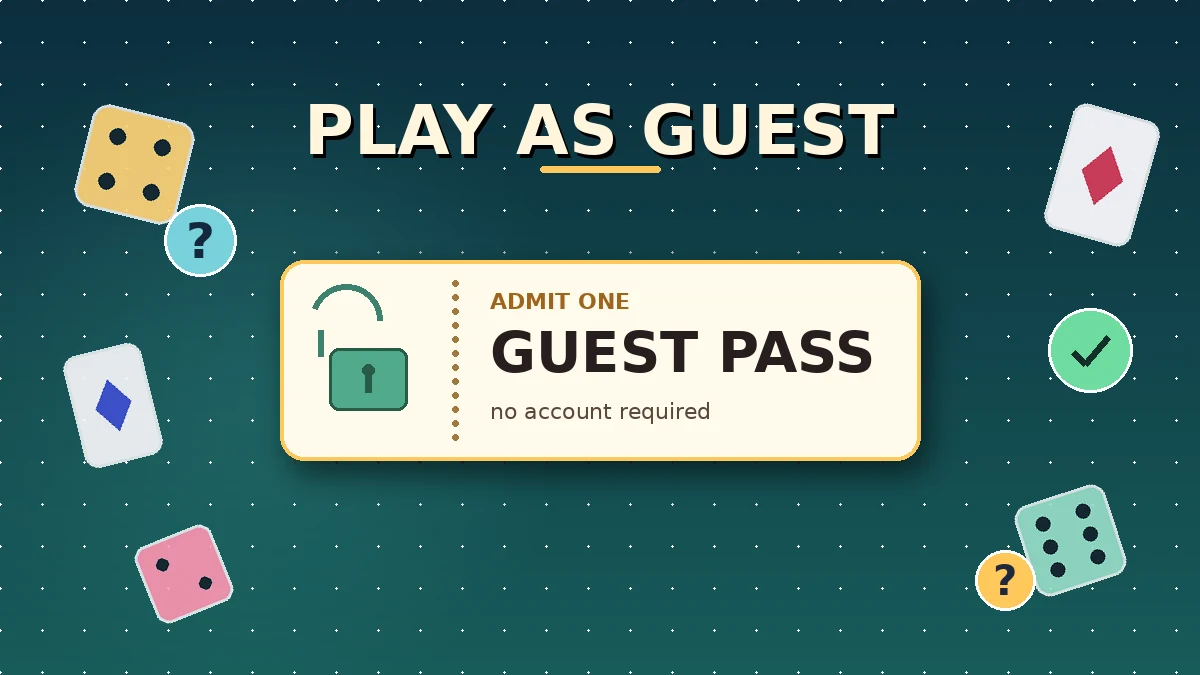
Yes, you can play Blooket without an account for any live, teacher-hosted game. Guest mode lets you join with just a 6-digit code and a nickname on play.blooket.com, with no email, no password, and no download. However, solo modes, hosting, homework, and permanent Blook collections all require a free account on the official Blooket platform.
Blooket splits its experience into two layers: live multiplayer sessions and account-locked features. Live games run through Guest mode by design, so teachers can start a review in seconds without waiting for 30 students to sign up. Everything that saves progress, such as tokens, Blooks, solo results, and homework, sits behind the account layer.
The account itself is free and takes about 90 seconds to create. If all you need is to join a specific game your teacher just started, Guest mode gets you in without any of that.
What Guest mode actually gives you
As a guest, you get the full live-game experience during that session: the questions, the mode mechanics, tokens for buying power-ups, and your live score on the host’s leaderboard. Everything you do inside the round works exactly as it does for a logged-in player.
What only account holders can do
Accounts save data. Any feature that needs to remember something between sessions, such as token balance, Blook collection, homework grades, custom question sets, or hosting sessions, is account-only. Guest mode simply has nowhere to store that information. For a deeper look at what an account gives you on the host side, our Blooket Dashboard guide walks through the full toolkit.
How to play Blooket without an account step by step
To play Blooket without an account, open play.blooket.com in any browser, enter the 6-digit Game ID shared by your host, pick a plain nickname of 2 to 8 characters, and wait in the lobby. When the host starts the round, your screen switches to the question interface automatically. The whole join sequence takes under a minute on any device.
Step 1: Get a valid game code from the host
Every live Blooket game runs on a 6-digit Game ID. Your teacher, friend, or the streamer running the session shows it on screen. For public games shared in Discord servers or Reddit threads, the same code format applies. Our guide on how to join a random Blooket game covers the best public code sources in detail.
Step 2: Open play.blooket.com
Bookmark this URL. The Play page is the only route into a live game as a guest. Do not use Blooket Login — that page is meant for hosts and account holders. If the page you’re on asks for a username and password before showing a code field, you’re in the wrong place.
Step 3: Enter the 6-digit code
Type the digits with no spaces or dashes. Blooket codes are numeric only. A single typo returns the same “Game not found” message that an expired code does, so double-check every digit before tapping Join. For a breakdown of how codes are structured and why some fail, see our Blooket Code explainer.
Step 4: Pick a nickname that stays on the roster
Blooket auto-filters obvious profanity, and many hosts also kick names with emojis, symbols, or words like “Admin,” “Hacker,” or “Bot.” Stick with a plain first name or a short handle. Two to eight characters passes every filter I’ve encountered in public lobbies, and it also stops teachers from replacing your name with a generic placeholder.
Step 5: Wait in the lobby
Once you’re accepted, the lobby shows your nickname alongside every other joiner. The host can see the list too. Do not close or refresh the tab, because refreshing kicks you back to the code screen and burns your slot. If you’re on a phone, keep the screen awake.
Step 6: Play through the round
When the host starts, your screen switches to the mode’s interface automatically. Answer the questions, spend tokens or trade Blooks as the mode allows, and try to climb the leaderboard. When the round ends, the lobby usually closes and your guest session ends with it.
What you can and can’t do without a Blooket account
Without an account you can join any live hosted game, use every mode mechanic during that round, and see your final rank. You cannot save tokens or Blooks between sessions, play solo modes such as Tower Defense or Café, host games, complete homework assignments, or customize a Blook collection. The line is drawn at persistence.
The gap is bigger than it first looks. New guests often assume “no account” means a lightly limited version of the platform. In reality, Guest mode covers exactly one use case very well, which is joining a live game, and it does not open anything else.
What guests can do
- Join any live hosted mode: Gold Quest, Tower Defense, Battle Royale, Crypto Hack, Fishing Frenzy, Café, and every other mode a host launches.
- Earn and spend tokens during the round: You can buy power-ups, upgrade towers, or trade Blooks inside the game exactly like a logged-in player.
- See your rank at the end: The final leaderboard displays your nickname with everyone else’s.
- Rejoin the same game with the same code: As long as the host keeps the lobby open, you can drop back in with the same or a new nickname.
- Play from any device: Any modern browser on a phone, tablet, laptop, or Chromebook works out of the box.
What guests cannot do
- Keep any tokens or Blooks past the round: Everything resets the moment the session ends.
- Access solo modes independently: The solo versions of Tower Defense, Café, Factory, Crazy Kingdom, and other single-player experiences require login. The solo button is grayed out for guests.
- Host or create games: Only accounts have host tools. Our Blooket Host guide covers what the host role actually involves.
- Complete homework or assignments: Homework requires a student account so scores can be recorded and returned to the teacher.
- Use Blooket Plus features: The paid tier’s extras are attached to the account, not the session.
- Recover a specific nickname consistently: In any given game, nicknames are first-come, first-served.
Guest vs account: side-by-side comparison
| Feature | Guest mode | Free account | Blooket Plus |
|---|---|---|---|
| Join live hosted games | Yes | Yes | Yes |
| Play solo modes | No | Yes | Yes |
| Save tokens between sessions | No | Yes | Yes |
| Keep collected Blooks | No | Yes | Yes |
| Host / create question sets | No | Yes | Yes |
| Complete homework | No | Yes | Yes |
| Detailed post-game reports | No | Basic | Full |
| Early access to Blooks | No | No | Yes |
| Cost | Free | Free | Paid |
Playing Blooket without account on mobile
You can play Blooket without account on mobile in two ways: through any mobile browser at play.blooket.com or through the Blooket mobile app’s Guest join option. Both work identically to the desktop web flow. Type the 6-digit code, choose a nickname, and wait in the lobby. No download is required for the browser method.
The mobile browser method
Every mobile browser I’ve tested handles the Play page cleanly, including Safari, Chrome, Edge, Samsung Internet, and Firefox. The layout adapts to portrait mode, the digit keyboard opens automatically for the code field, and the nickname box respects your device’s autocorrect settings. This is the fastest route on a phone because there’s nothing to install.
The Blooket mobile app
The app has a Guest join flow that mirrors the web. Open the app, tap the option to join a live game, enter the 6-digit code, and pick a nickname. The experience feels smoother during long rounds because the app locks screen orientation and blocks system notifications while the round is running.
Common mobile issues and quick fixes
- Screen keeps dimming mid-game: Enable auto-lock override in your system settings or plug the phone in for the round.
- Session drops when a call comes in: Turn on Do Not Disturb before joining so incoming calls don’t yank you out of the tab.
- Slow connection kicks you out: Guest sessions can handle brief connection drops, but a hard reconnect brings you back to the join page and closes the guest session. Use stable Wi-Fi for longer games.
When you should skip Guest mode and create an account
Skip Guest mode and create a free account when you want to keep tokens and Blooks, play solo modes at your own pace, host games as a teacher, complete homework assignments, or track your progress over time. If any of those matter to you, the 90 seconds to sign up pays off within the first week of regular play.
The account is free and doesn’t ask for a credit card, so the friction is small compared to the features you get.
You want to keep your tokens and Blooks
Guest sessions are one-and-done. If you play daily and enjoy the collection side of Blooket, every day of Guest mode wipes what you earned. An account remembers your balance and lets you buy rarer Blooks over time, which is where a lot of the long-term motivation lives.
You want to play solo modes
The solo versions of Tower Defense, Café, Factory, Crazy Kingdom, and other single-player experiences save progress across sessions, and that saved state needs an account. The solo button is grayed out for guests, and clicking a direct solo link redirects to the login page. Our Blooket game modes guide breaks down which modes are live-only and which have solo versions.
You’re a teacher who wants to host
Hosting requires the account layer because it gives you a dashboard for creating question sets, launching games, and reviewing player results. If you’re planning to run any classroom sessions, an account is the entry point. For the full sequence from set creation to hosting, see the guide on creating a question set in Blooket.
You need homework or assignment tracking
Assigned homework saves each student’s score to the teacher’s dashboard. That reporting layer is impossible with anonymous guest sessions, so any homework link redirects students to log in. If your teacher shares an “Assign” link instead of a live code, expect a login prompt on the next page.
You want detailed progress stats
Accounts get post-game reports, mode-by-mode accuracy history, and Blook collection tracking. Guests get a final rank and nothing else after the round ends. If you play often enough to care about improvement, that data alone justifies the sign-up.
Common myths about playing Blooket without an account
The most common myths about playing Blooket without an account are that you can play solo modes, host games, or carry guest progress over to a future account. All three are false. Guest mode is built for exactly one thing: joining a live hosted game. Anything that needs saved data or host tools requires an account of some kind.
Myth 1: You can play solo modes without an account
Solo modes save persistent data such as tower upgrades, café earnings, and factory progress. That data lives on your account. The solo button is grayed out for guests, and trying to open a solo game via a direct URL simply redirects to the login page.
Myth 2: Guests can host a game if someone shares a code
Hosting requires the account-side dashboard with game-creation tools. A guest can only join. The code you enter as a guest is the one the host generated; you cannot generate one yourself without a full Blooket account.
Myth 3: Every Blooket game needs an account
Live hosted games do not require accounts on the join side. This confusion tends to start with homework links, which do need student accounts. If a teacher shares a live code, no login is needed; if the teacher shares a homework link, a login prompt appears.
Myth 4: Your guest progress carries over once you make an account
It doesn’t. When I created a fresh account after playing several guest rounds, the account showed zero tokens, no Blook history, and no game record. Blooket treats guest data as ephemeral. If you plan to invest time, create the account before you start playing rather than after.
Myth 5: You can only join one game per browser as a guest
Guests can join as many separate games as they want, one after another. Each session is independent. You can even open a fresh browser tab, enter a different code, and be in two lobbies at once, though that’s rarely a good idea for actually playing well.
Safety and privacy when playing Blooket without an account
Playing Blooket without an account is generally safe. Blooket doesn’t collect personal information from guests, doesn’t reveal your identity to the host, and doesn’t share device data between sessions. Risks come from outside the platform, such as fake code generator sites, phishing links posted alongside real codes, and unofficial third-party tools that break Blooket’s Terms of Service.
What Blooket collects from a guest join
The join process asks for two things: a 6-digit code and a nickname. It does not ask for a name, email, age, phone number, or location. The session ends when you close the tab, and no persistent identifier links you to a future session.
What the host can see
Hosts see the nickname you typed and your live score during the round. They cannot see your real name, IP address, email, or any device detail. If your nickname violates a host’s rules, they can kick you from that specific session, but that action does not affect any future joins on your side.
Where the real risks live
Every risk sits outside Blooket itself. Code-sharing channels sometimes post scam links alongside real codes: fake coin generators, “free Blooket Plus” downloads, and cheat tools. Ignore anything that isn’t a plain 6-digit number and a link to play.blooket.com. Our Blooket Hacks explainer covers why these tools are dangerous, and the same warning applies to any Blooket bot offer you see in a public chat.
Advice for parents
If your child plays Blooket as a guest, bookmark play.blooket.com on their device and remind them that the join page asks only for a code and a nickname. Any prompt for personal information means they’ve clicked something outside Blooket. Keep an eye on which servers or subreddits they visit for public codes, because that’s where the questionable links tend to appear.
FAQs
Below are the questions students, teachers, and parents ask most often about playing Blooket without an account, with short direct answers based on real testing across live sessions. If your question isn’t covered here, the Blooket Join, Play, and Login guides on the rest of blooket.it.com go deeper into each part of the flow.
Do I need a Blooket account to play at all? No. For any live hosted game, you can join without an account by entering the 6-digit Game ID at play.blooket.com and choosing a nickname. Accounts are needed only for solo modes, hosting, homework, and saved progress such as tokens and Blooks.
Can I play Blooket solo without an account? No. Solo modes such as Tower Defense, Café, Factory, and Crazy Kingdom all save persistent data across sessions, which requires an account. The solo button is grayed out for guests, and direct solo URLs redirect to the login page instead of loading the mode.
Is Guest mode available on the Blooket mobile app? Yes. Open the app, tap the option to join a live game, enter the 6-digit code, and type a nickname. The Guest join flow on the app mirrors the web version. No account creation is required for live sessions on either the browser or the app.
Can teachers see my nickname if I join as a guest? Yes. The host’s dashboard shows every joiner’s nickname alongside their live score during the round. Hosts cannot see your real name, email, or any device information, because Guest mode doesn’t collect those details in the first place.
Do Blooket accounts cost money? No. Both student and teacher accounts are free. Blooket offers an optional paid tier called Blooket Plus that adds cosmetic rewards and extra features, but every core hosting and joining function stays free. Guest mode is also free forever.
What happens to my tokens and Blooks when the game ends? They disappear. Guest sessions do not save any data past the current round. If you close the tab, refresh, or the host ends the lobby, your token balance and any Blooks you collected reset to zero. Accounts keep everything permanently.
Can I create an account and transfer my guest progress? No. Blooket treats guest data as temporary and does not link it to any future account. If you care about building a Blook collection or a token stash, create the account before you start playing rather than after.
Is Guest mode safe for kids? The join process itself is safe because Blooket doesn’t ask guests for any personal information and doesn’t share your identity with the host. The risks come from scam sites and phishing links posted alongside real codes in public channels. Stick to play.blooket.com only and skip anything else that appears in a chat.
Final thoughts
You can play Blooket without an account, and for a quick classroom review or a public code from Discord, Guest mode is the fastest route in. Open play.blooket.com, type the code, pick a plain nickname, and you’re in the round within a minute. If you plan to play daily, want the solo modes, or need to host as a teacher, spend the 90 seconds to create the free account so you actually keep what you earn.
Bookmark the join page on the devices you use most, and if you’re a teacher, share the direct play.blooket.com URL with your class so nobody ends up on the wrong page. For more on how live sessions work and how each mode plays, browse the rest of the guides on blooket.it.com.
Find solutions, tips, and strategies to help you thrive — start exploring.