Ask a Year 6 class what a 45 degree angle looks like and half of them will draw something closer to 60. They can name it. They can find it on a protractor. They cannot see it.
That is the gap most geometry teaching leaves open. Students learn the vocabulary and the procedure, pass the test, and walk out without the eye. Then in Year 9 they are asked whether a triangle is roughly equilateral and they reach for a ruler because they have no idea.
The eye is built the same way any estimation skill is built: by guessing, being told how wrong you were, and guessing again. Quickly, many times, with a number attached. That is not something a worksheet does well. It is something a certain kind of browser game does very well, and this post is about how to use them.
The format that works
The games I mean have one shape, one question, one input, and a score out of 100. Draw the line of symmetry. Click the centre. Split this into two equal halves. You do it, you get a 74, you try again. No levels, no coins, no account, and a round lasts about ten seconds.
The best set of these I have found is at https://canyougames.com. There are 47 games on the site, and once you look at the geometry and estimation ones together they read like a Key Stage 2 and 3 syllabus that somebody accidentally made fun of.
Here is what is there, grouped by what you would actually be teaching.
Angles
- Match This Angle: set an angle to a given number of degrees, or look at one and guess the degrees. This is the one to start with.
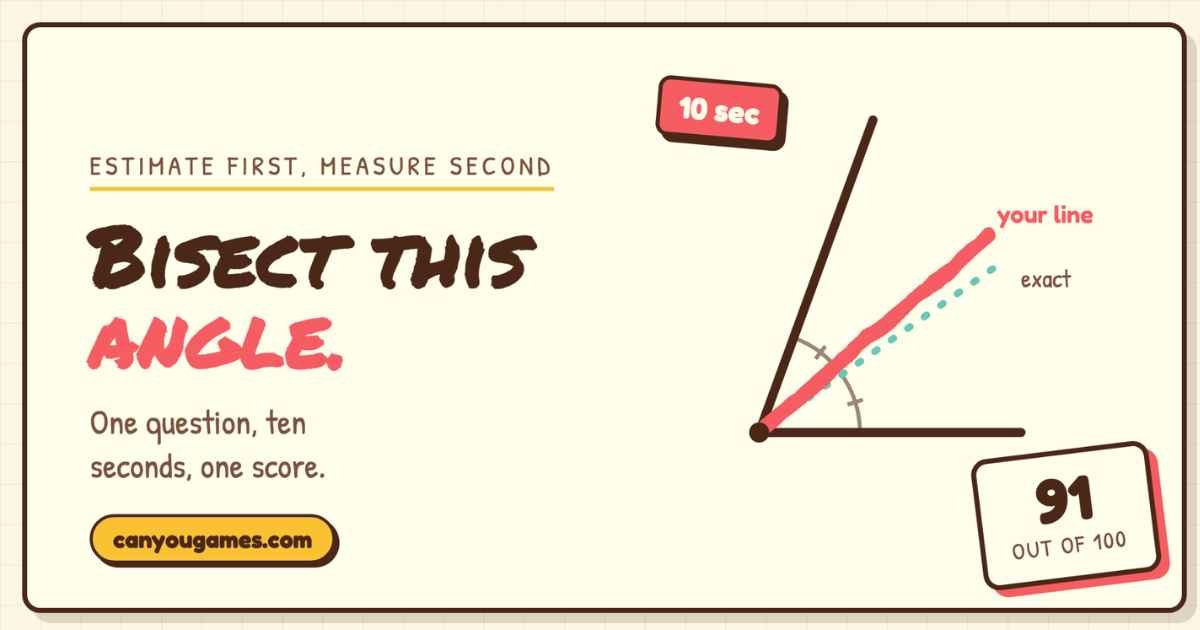
- Bisect the Angle: two rays, place a third that splits them exactly in half.
- Find the Tangent: rotate a line so it just grazes a circle at a marked point. Older classes, but a good one.
Shapes and symmetry
- Find the Line of Symmetry: draw it on a nearly symmetric shape. The “nearly” is the lesson.
- Draw a Perfect Square, Draw a Perfect Triangle, Draw a Perfect Star: one continuous stroke, scored on how regular it came out. Surprisingly hard.
- Draw the Mirror Image: shape on the left, draw its reflection on the right.
- Draw a Parallel Line: a line is shown, draw one parallel to it.
Position and measure
- Click Exactly in the Center and Find the True Center: the second one uses shapes designed to mislead you, which makes for a good five-minute discussion about why.
- Place the Dot Exactly in the Middle: two points, click the midpoint.
- Match the Length and Match the Distance: reproduce a length at a different angle, or a gap somewhere else on the screen.
Fractions, percentages and area
- Divide the Pie Evenly: click points on a circle to cut it into equal sectors. Fractions and angles in one go.
- Fill Exactly 50%: hold to fill a shape, release at half.
- Guess the Percent Filled: a partly filled rectangle, type the percentage.
- Guess the Area: a shape on a grid, type the area in square units.
- Set the Clock: drag the hands to show a given time. Pitched younger, but it is angles underneath.
Physics-adjacent
- Balance the Scale: slide a weight along a seesaw to balance a fixed one. Moments, without saying the word yet.
And then the one everyone plays first, the perfect circle game. Draw a circle freehand in one stroke and it tells you how round it was. It is not on any syllabus and does not need to be. It is the hook. Put it on the projector once and the class will find the rest of the site on their own.
Estimate first, measure second
The trick is the order. Game first, instruments second. A protractor is a boring object until you have just been embarrassed by an angle.
Before the lesson on angles, project Match This Angle and have five students call out the degrees of what is on screen. Write the guesses on the board. Then hand out protractors and measure it. The gap between the guesses and the measurement is the reason protractors exist, and now the class has felt it rather than been told it.
Before the area, do Guess the Area on the grid. Students who estimated 12 for something that turned out to be 20 are now interested in a method for counting squares. Students who got 19 are interested in why they were off by one, which is the better conversation.
Before symmetry, Find the Line of Symmetry on the almost-symmetric shapes. The near misses are where the discussion lives: what made you put the line there, and what does the shape do that fooled you.
Before fractions of a circle, Divide the Pie Evenly. Ask for thirds, then fifths. Then ask what angle each slice is. Most of the class will not have noticed they were doing angles until you say so.
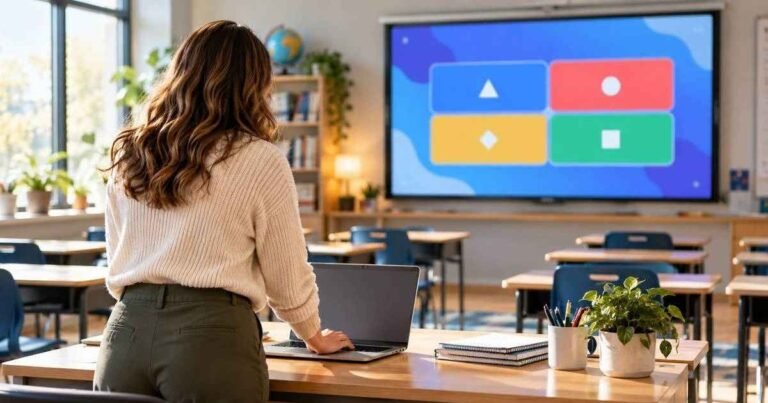
After any of these, run a Blooket set on the same topic. The game builds intuition, the quiz checks the vocabulary and the procedure. The short Blooket play modes suit this, and the question set can reuse the exact shapes the class just guessed at. “You estimated this angle at 50. What is it, to the nearest 10 degrees?” lands differently when they remember guessing.
Three practical notes
The scores are out of 100, so a class record on the whiteboard for the term costs nothing and gets used. Students who will not answer a question in front of the room will happily tell you they got a 91 on the bisect.
Trackpads score lower than touchscreens on the drawing games. If half the room is on Chromebooks and half on iPads, compare within groups or you will spend the lesson adjudicating.
Set the rule that everyone gets one attempt in class. These are more addictive than they look, and “one more go” is the fastest way to lose ten minutes. Send them home with the site instead.
A worked example: one angles lesson, 50 minutes
To make this concrete, here is how a Year 7 lesson on angle types runs with the games in it.
Minutes 0 to 5. Match This Angle on the projector. Five students guess the degrees, guesses go on the board. Nobody measures anything yet.
Minutes 5 to 10. Protractors out. Measure the same angle. Compared to the board. Ask the student who was closest to you how they did it. Usually they compared it to a right angle in their head, which is the strategy you were going to teach anyway.
Minutes 10 to 30. The actual teaching: acute, obtuse, reflex, the vocabulary and the notation. The class is more receptive than usual because they have just been wrong about something small in public.
Minutes 30 to 38. Bisect the Angle, one attempt each on their own device. Class record on the board.
Minutes 38 to 48. Blooket set on angle types, with a couple of questions that use the exact angle from minute 0. The lobby fills while the last few finish their bisect, so there is no dead gap.
Minutes 48 to 50. Homework is the Match This Angle page. Beat your class score.
Nothing in that plan is new except the first ten minutes and the score on the board. That is enough.
A note on school devices
All of this runs on managed Chromebooks and school iPads without anything being installed and without an account, which is also why it clears most school filters. The site is small and looks like a page rather than a games portal, so it is not on the category blocklists. It even keeps an unblocked games page for exactly this situation. Check it on a student device before the lesson, as with anything, but it is one of the few things in the “games not blocked by school computers” pile that a maths teacher would actually want unblocked.
The Blooket gap
One more use, and it is the one that got me started with these.
The 60 to 120 seconds while a class types in a Blooket code is the most reliably wasted time in the lesson. The code goes on the board, devices come out, and the room drifts. Some are typing, some are still finding the site, one is asking what the code was again.
One geometry round each fills that gap exactly. It takes ten seconds, it ends when the lobby is full, and it points the class at the topic before the quiz starts. Get the join step tight, which is what the Blooket join guide is for, and use whatever is left for one angle, one circle, one line of symmetry.
Estimate first. Measure second. Quiz third. That order is the whole method, and it takes about three minutes more than not doing it.
Disclaimer: The information provided in this article is for general informational and educational purposes only. It does not constitute professional teaching, curriculum, or technology advice. The effectiveness of browser games and estimation activities may vary by student age, device access, and classroom context. Teachers should review any website before classroom use and follow school policies regarding internet access and student data. The author and publisher disclaim all liability for any educational outcomes, technical issues, or disruptions arising from reliance on this content. Always pilot new tools and adjust activities to your specific teaching environment.
Stay ahead with insights that matter—our mattering insights deliver value you can trust.