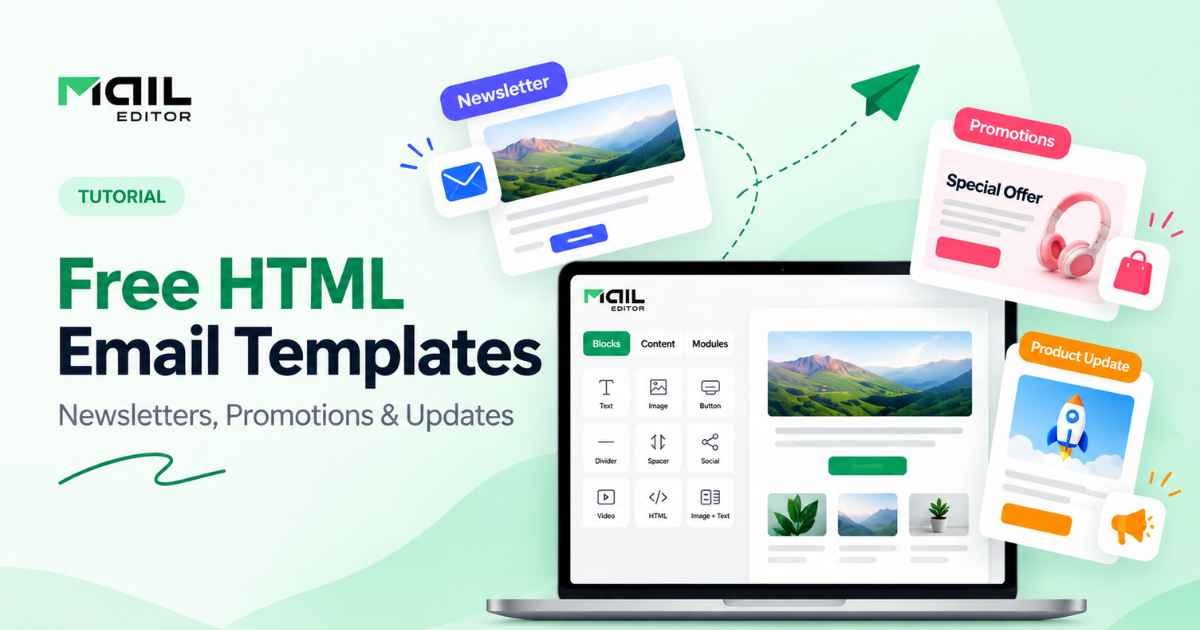
Creating a professional email campaign does not always require starting with a blank page.
For marketing teams, small businesses, agencies, and creators, a well-designed email template can provide the structure needed to turn an idea into a polished campaign much faster. Instead of repeatedly rebuilding headers, buttons, content sections, product blocks, and footers, teams can begin with a layout that already matches the type of message they want to send.
That is where free HTML email templates become especially useful.
The right template can help organize content, maintain visual consistency, and simplify campaign production while still leaving room to customize colors, images, copy, and calls to action.
However, different campaigns need different structures. A newsletter has different requirements from a promotion, and a product update should not necessarily look like either of them.
This guide explains how to use free HTML email templates effectively for newsletters, promotional campaigns, and product updates—and what to look for before choosing a template.
Why Start With an HTML Email Template?
Building an email from scratch gives you complete control, but it can also mean repeatedly recreating the same structural elements.
Most campaigns need some combination of:
- A branded header
- A headline
- Images
- Text sections
- Buttons
- Content blocks
- Social links
- Footer information
Templates provide a reusable framework for these elements.
Instead of deciding where every section should go each time, marketers can focus more of their attention on the message, offer, and campaign objective.
A collection of Free HTML Email Templates can be particularly useful when you regularly produce different types of campaigns and need layouts for more than one use case.
The key is choosing a template based on the purpose of the email rather than appearance alone.
1. Free HTML Email Templates for Newsletters
Newsletters often contain more information than other email types.
A typical newsletter may include:
- A featured story
- Company updates
- Blog articles
- Industry news
- Educational resources
- Events
- Product announcements
- Multiple secondary links
Because of that, newsletter templates need a strong content hierarchy.
Readers should be able to scan the email and immediately understand which information is most important.
What a Good Newsletter Template Should Include
A practical newsletter layout often starts with a clear header containing the brand logo.
Below that, the template may include one featured section with a larger headline and image.
Additional stories can then appear in smaller content blocks.
For example:
Header
Logo and optional navigation.
Featured story
Large headline, image, short description, and primary CTA.
Secondary articles
Smaller cards containing additional content.
Closing section
One final CTA, company update, or useful resource.
Footer
Contact information, social links, preferences, and other necessary details.
The design should make these sections visually distinct without making the email feel disconnected.
Keep Newsletter Content Easy to Scan
Most subscribers will not read every word of a newsletter.
They often scan headings, images, and short descriptions before deciding which content deserves more attention.
For that reason, long blocks of uninterrupted text can make newsletter templates harder to use.
A better structure is usually:
Headline
Short introduction.
Image
Two or three sentences of supporting copy.
Link or CTA
Then move to the next section.
Spacing also matters.
White space between sections helps readers understand where one story ends and another begins.
Use a Repeatable Newsletter Structure
One advantage of HTML email templates is consistency.
If you send a newsletter weekly or monthly, subscribers can become familiar with the structure.
For example, you might consistently use:
- Featured story
- Latest article
- Company update
- Recommended resource
- Final CTA
The content changes, but the basic structure remains familiar.
That consistency can also make production easier for your team.
Instead of redesigning the newsletter for every issue, you can duplicate the existing layout and replace the content.
2. Free HTML Email Templates for Promotions
Promotional emails usually have a narrower objective than newsletters.
The campaign might exist to promote:
- A seasonal offer
- A special collection
- A product launch
- An event
- A limited campaign
- A new service
- A featured resource
The template should make that primary objective obvious.
A promotional email does not need to contain every possible content block simply because the template supports them.
In many cases, simpler is better.
Start Promotions With a Strong Hero Section
The hero section is often the most important part of a promotional email.
It can combine:
- A short headline
- Supporting copy
- A product or campaign image
- A prominent CTA
The purpose is to help readers understand the offer quickly.
For example:
Summer Collection Has Arrived
Discover new designs created for the season.
Explore the Collection
The message is simple, and the next action is obvious.
A template that gives the headline, image, and button clear visual priority can make this type of campaign easier to understand.
Avoid Too Many Competing Offers
One of the most common problems with promotional emails is trying to include too much.
A campaign may begin with one main offer but gradually accumulate:
- Multiple banners
- Several product categories
- Numerous buttons
- Blog links
- Social promotions
- Secondary offers
Eventually, the reader has no obvious path.
Before adding another section, ask whether it directly supports the primary campaign goal.
If it does not, consider removing it.
A good promotional template gives you enough flexibility to customize the campaign without encouraging unnecessary complexity.
Make Promotional CTAs Obvious
The CTA should stand out from surrounding content.
Its wording should also describe what happens next.
Instead of vague phrases such as:
Click Here
consider something more descriptive:
- Shop the Collection
- Explore the Offer
- View New Arrivals
- Reserve Your Place
- Discover the Product
- Learn More
The button should be easy to identify on both desktop and mobile devices.
For longer promotional emails, the same primary CTA can appear again later in the message if it makes sense.
3. Free HTML Email Templates for Product Updates
Product update emails serve a slightly different purpose.
Instead of simply encouraging a purchase, they often explain what has changed.
This might include:
- A newly released feature
- Product improvements
- A redesigned interface
- New integrations
- Service updates
- New functionality
- Major platform changes
The reader usually needs both context and explanation.
That means product update templates should balance visuals with informative content.
Lead With What Changed
Do not make subscribers search through the email to understand the update.
The main headline should communicate the change clearly.
For example:
Introducing Our New Campaign Dashboard
is clearer than:
Something Exciting Is Here
The second headline creates curiosity, but the first immediately tells the reader what the email contains.
Product update emails can still be creative, but clarity should come first.
Show the Product When Possible
A product update template should provide enough space for useful visuals.
These might include:
- Product screenshots
- Feature previews
- Interface images
- Before-and-after comparisons
- Short diagrams
Visuals help readers understand changes faster than a long explanation alone.
However, the image should be supported by live text.
Do not place all important information inside a screenshot or graphic.
A reader should still understand the key message even if the image is unavailable.
Explain Benefits, Not Just Features
A product update email should answer two questions:
What changed?
and
Why does it matter?
Suppose a platform introduces reusable content blocks.
A weak update might say:
We added reusable content blocks.
A stronger version explains the practical benefit:
Save frequently used sections once and reuse them across future campaigns instead of rebuilding them every time.
The feature is the same, but the second version gives readers a reason to care.
Templates with dedicated sections for a headline, explanation, screenshot, benefits, and CTA work particularly well for product updates.
Choosing the Right Template for Each Campaign
It is tempting to find one attractive template and use it for every email.
That approach can work for basic brand consistency, but the content structure should still adapt to the campaign.
A useful way to think about template selection is:
| Campaign | Template priority |
| Newsletter | Content hierarchy and multiple sections |
| Promotion | Clear offer and strong CTA |
| Product update | Explanation, visuals, and benefits |
| Welcome email | Introduction and next step |
| Event email | Date, details, registration |
| Transactional email | Clarity and immediate action |
The goal is not to completely redesign every campaign.
Instead, build a flexible visual system and use the right combination of modules for each type of message.
What to Look for in Free HTML Email Templates
Not every free template is equally useful.
Before choosing one, review several practical features.
Responsive Design
The template should adapt well to smaller screens.
Look for:
- Responsive widths
- Scalable images
- Readable text
- Mobile-friendly buttons
- Columns that stack appropriately
A template should remain easy to understand without forcing mobile readers to zoom in.
Editable Structure
A template becomes much more valuable when you can easily change:
- Headlines
- Body copy
- Images
- Buttons
- Colors
- Backgrounds
- Sections
- Footer content
The more reusable the structure, the easier it becomes to adapt the template to different campaigns.
Brand Customization
The finished campaign should look like your brand.
Make sure you can customize:
- Logo
- Brand colors
- Typography
- Button styles
- Image treatment
- Spacing
Templates are most useful when they provide the framework without forcing every brand to look identical.
Clear CTA Areas
Whether the email is a newsletter or promotion, readers should be able to identify the most important action.
Look for layouts that provide enough space around CTA buttons and do not bury them between unrelated elements.
Balanced Image and Text Placement
Good templates do not depend entirely on graphics.
They provide space for both live text and visual content.
This balance improves readability and gives marketers more flexibility when adapting the template to different messages.
Customizing a Template Without Rebuilding It
One of the biggest benefits of using templates is speed.
But that advantage disappears if every campaign requires extensive manual code editing.
For teams that produce emails frequently, a visual HTML Email Builder can simplify customization.
Instead of manually changing every section in the source code, marketers can work with elements such as:
- Text blocks
- Images
- Buttons
- Dividers
- Columns
- Product cards
- Social sections
- Custom HTML areas
This can make collaboration easier as well.
A designer can establish the original template and brand system, while marketers update campaign-specific content without redesigning the entire email.
Turn One Template Into Several Campaign Variations
A flexible HTML email template can support more campaigns than its original design suggests.
Imagine starting with a general marketing template containing:
- Header
- Hero
- Three content blocks
- CTA
- Footer
For a newsletter, you can use all three content blocks.
For a promotion, you might keep only the hero and CTA.
For a product update, you can use one content block for a screenshot, another for benefits, and a final one for the next action.
The basic system remains the same.
Only the content arrangement changes.
This is why modular templates are especially useful for teams that send emails regularly.
Create a Small Template Library Instead of Hundreds of One-Off Designs
A marketing team does not necessarily need dozens of completely different templates.
A smaller collection of flexible templates can often cover most campaign needs.
For example, a practical internal template library might contain:
- Newsletter template
- Promotional template
- Product update template
- Welcome template
- Event template
- Transactional template
Each template can then contain reusable modules.
This approach makes branding easier to control and reduces the need to start over for every campaign.
It can also help marketers find the right layout faster.
Instead of searching through hundreds of designs, they can choose from a small set of templates already approved for their organization.
Do Not Forget Transactional Emails
Marketing emails are only one part of an email program.
Businesses may also need transactional messages for actions such as:
- Account verification
- Password resets
- Login confirmations
- Order updates
- Security notifications
These messages need a different structure from promotional campaigns.
For example, an OTP verification email should make the verification code the most important visual element.
Purpose-built OTP email templates can help provide a clearer starting structure for this type of message.
The same principle applies across email design: the layout should reflect what the recipient needs to accomplish.
Common Mistakes When Using Free Email Templates
Templates save time, but they still need thoughtful customization.
Avoid these common mistakes.
Using the Template Without Changing the Branding
Replace generic colors, logos, images, and placeholder content before sending.
Your email should feel consistent with your organization.
Keeping Every Available Section
A template may include ten sections.
That does not mean your campaign needs all ten.
Remove anything that does not support the email’s purpose.
Writing Too Much Copy
Email readers tend to scan.
Use clear headings, concise paragraphs, and obvious actions.
If a subject requires a detailed explanation, the email can introduce the topic and direct readers to a longer resource.
Forgetting Mobile Layouts
Always review what happens when columns stack and images shrink.
Desktop appearance alone is not enough.
Using the Same Structure for Every Message
Consistency is useful, but forcing every campaign into exactly the same layout can reduce clarity.
Keep the branding consistent while adapting the content structure to the message.
A Simple Pre-Send Checklist
Before sending an email built from a template, check:
- Does the subject of the email match the layout?
- Is the primary message visible quickly?
- Is the CTA easy to identify?
- Are images optimized?
- Does the design work on mobile?
- Are all links correct?
- Has placeholder content been removed?
- Does the email match the brand?
- Is unnecessary content removed?
- Does the footer contain the required information?
- Has the final email been tested?
Templates help accelerate production, but testing should remain part of the workflow.
Final Thoughts
Free HTML email templates can give marketing teams a strong starting point for newsletters, promotions, product updates, and many other campaign types.
The real benefit is not simply that the template is free.
The value comes from having a reusable structure that can be customized quickly while keeping the campaign organized, readable, and visually consistent.
For newsletters, prioritize hierarchy and scanability.
For promotions, focus on one clear offer and CTA.
For product updates, explain what changed, show the product where useful, and connect new features to practical benefits.
And as your email program grows, consider maintaining a small library of reusable layouts rather than rebuilding each campaign from scratch.
A good template should make the message easier to create—and easier for the recipient to understand.
Disclaimer: The information in this article is for general informational purposes only and does not constitute professional, legal, or technical advice. Email marketing regulations, deliverability rules, and platform features may vary by region, provider, and industry, and may change without notice. Readers should verify all technical details, compliance requirements, and template licensing terms directly with their email service provider before use. Any mention of tools or platforms does not imply endorsement. The author and publisher disclaim any liability for decisions made based on this content.
Unlock a softer rhythm for your reading – browse our slow-and-steady guides and enjoy learning without pressure.