Every business has unique processes, data requirements, and operational workflows. While NetSuite offers extensive out-of-the-box functionality, SuiteBuilder customization enables organizations to adapt the platform to their specific needs. By tailoring forms, records, fields, and dashboards, businesses can enhance efficiency, improve user adoption, and ensure the ERP system aligns perfectly with operational requirements.
Understanding SuiteBuilder
SuiteBuilder is NetSuite’s low-code customization tool that allows administrators and developers to create, modify, and organize records, forms, and fields. Unlike SuiteScript, which involves programming logic, SuiteBuilder focuses on the structure and interface of the platform, giving organizations control over how information is captured and displayed.
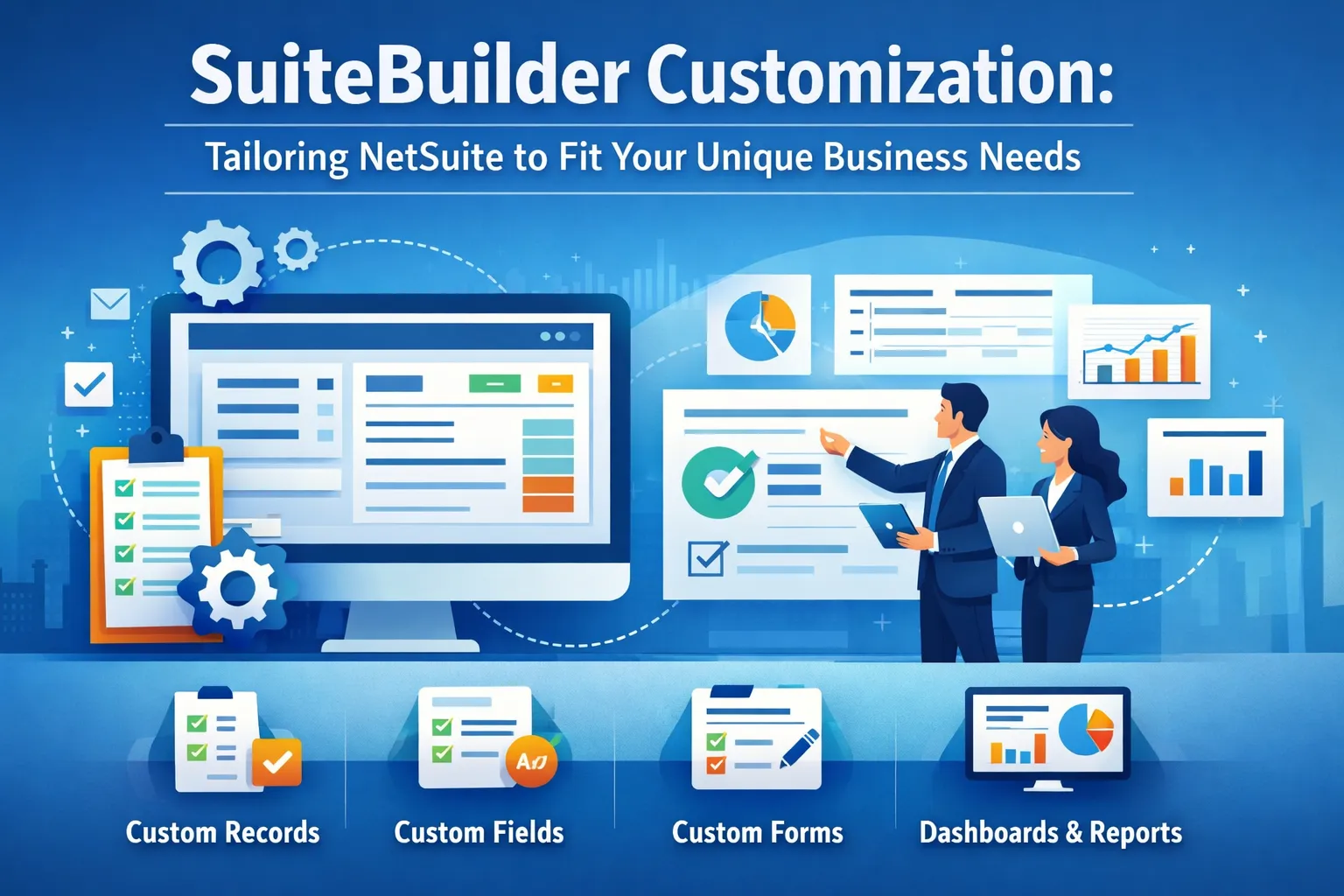
Key SuiteBuilder capabilities include:
Custom Records: Create unique record types to track data specific to your business, such as project milestones, vendor certifications, or equipment logs.
Custom Fields: Add fields to existing records to capture additional information not available by default.
Custom Forms: Design user-friendly forms for data entry, ensuring that employees capture the correct information efficiently.
Dashboards and Reports: Tailor dashboards to display relevant KPIs, metrics, and visualizations for different roles or departments.
These tools allow businesses to create a NetSuite environment that reflects real-world operations, improving usability and operational accuracy.
Benefits of SuiteBuilder Customization
Customizing NetSuite with SuiteBuilder provides multiple advantages:
Enhanced Data Accuracy: Custom forms and fields guide users to enter information consistently, reducing errors.
Improved Workflow Alignment: Tailored records and forms ensure that the system matches business processes rather than forcing workarounds.
Increased User Adoption: A system designed for user needs is more intuitive, encouraging engagement and reducing training challenges.
Actionable Insights: Customized dashboards and reports provide the right information to the right people, supporting faster, informed decision-making.
By tailoring the system to the organization, SuiteBuilder enhances efficiency, compliance, and operational visibility.
Creating Custom Records
Custom records allow businesses to track data that standard NetSuite records do not support. Examples include:
Project-specific information like tasks, milestones, or budgets
Vendor-specific documentation or certifications
Equipment maintenance schedules and logs
Customer engagement tracking beyond standard CRM fields
Custom records can be linked to existing records using relationships, ensuring data remains connected and accessible across the platform.
Adding Custom Fields
Custom fields expand existing records to capture additional information. For example:
Adding a field for “Customer Segment” on the customer record
Tracking “Equipment Warranty Expiration” on inventory items
Recording “Discount Approval Level” on sales orders
Custom fields improve data accuracy, provide context for workflows, and enable better reporting.
Designing Custom Forms
Forms dictate how users interact with records. SuiteBuilder allows businesses to design forms that simplify data entry, reduce errors, and highlight critical fields. Best practices for custom forms include:
Grouping related fields for clarity
Using field types and validation rules to enforce accuracy
Hiding unnecessary fields to simplify the interface
Creating role-specific forms to match employee responsibilities
Well-designed forms enhance user productivity and reduce the risk of incomplete or incorrect data entry.
Tailoring Dashboards and Reports
Custom dashboards and reports provide real-time insights into operational performance. SuiteBuilder customization enables:
Department-specific dashboards for sales, finance, or operations
Role-based access to ensure sensitive data is visible only to authorized users
Visualizations like charts and graphs to simplify decision-making
Automated reporting that highlights trends, anomalies, or exceptions
Custom dashboards empower managers to monitor KPIs, track progress, and respond quickly to changing business conditions.
Enhancing Workflows with SuiteBuilder
While SuiteFlow handles automation, SuiteBuilder supports workflow efficiency by structuring data and interfaces. Properly designed forms and records ensure that workflows execute smoothly, with the right information available at each stage. For example:
Sales orders with mandatory custom fields prevent incomplete submissions
Approval workflows trigger only when all necessary information is entered
Reports aggregate data from custom records to support automated decision-making
By combining SuiteBuilder and SuiteFlow, businesses create a streamlined, accurate, and automated ERP environment.
Best Practices for SuiteBuilder Customization
Effective SuiteBuilder implementation follows these best practices:
Plan Before Customizing: Understand business requirements and define objectives for records, fields, forms, and dashboards.
Prioritize Simplicity: Avoid unnecessary customizations that complicate workflows or create maintenance challenges.
Document Changes: Maintain a record of all customizations for troubleshooting, training, and future updates.
Test Thoroughly: Use sandbox environments to validate forms, fields, and records before deployment.
Monitor Usage: Track user adoption and system performance to identify opportunities for further optimization.
Review Regularly: Periodically assess customizations to ensure they remain aligned with evolving business needs.
Following these practices ensures that SuiteBuilder customizations are effective, scalable, and maintainable.
Training and User Adoption
Even well-designed customizations require proper training to ensure adoption. Administrators should provide:
Documentation and guides for forms and fields
Role-specific training sessions
Ongoing support for questions or issues
Feedback mechanisms to improve usability
High adoption rates maximize the value of SuiteBuilder customizations and improve overall system efficiency.
Leveraging Expert Support
Complex SuiteBuilder customizations may benefit from consulting experienced NetSuite professionals. Experts can:
Design scalable and maintainable record structures
Optimize forms for user efficiency
Align customizations with business processes and reporting needs
Provide guidance for integration with workflows, SuiteScript, or external systems
Professional support ensures that customizations are implemented correctly and deliver long-term value.
Conclusion
SuiteBuilder customization enables businesses to tailor NetSuite to their unique operational needs, enhancing efficiency, accuracy, and user engagement. By creating custom records, fields, forms, and dashboards, organizations can align the ERP system with real-world workflows, streamline data entry, and deliver actionable insights.
Following best practices, providing user training, and leveraging expert guidance ensures that SuiteBuilder customizations are scalable, maintainable, and impactful. Businesses that invest in thoughtful customization gain a flexible, user-friendly ERP platform capable of supporting growth, improving decision-making, and driving operational excellence.
Disclaimer
This article is for informational purposes only and provides general insights into SuiteBuilder customization in NetSuite. It does not constitute professional, financial, or technical advice. Implementation of customizations may vary depending on business requirements and system configurations. Readers are advised to consult certified NetSuite professionals before making any system changes. The author is not responsible for any outcomes resulting from the use of this information. Always test customizations in a safe environment before applying them to live systems.
Stay informed with quality content—explore what’s trending today.