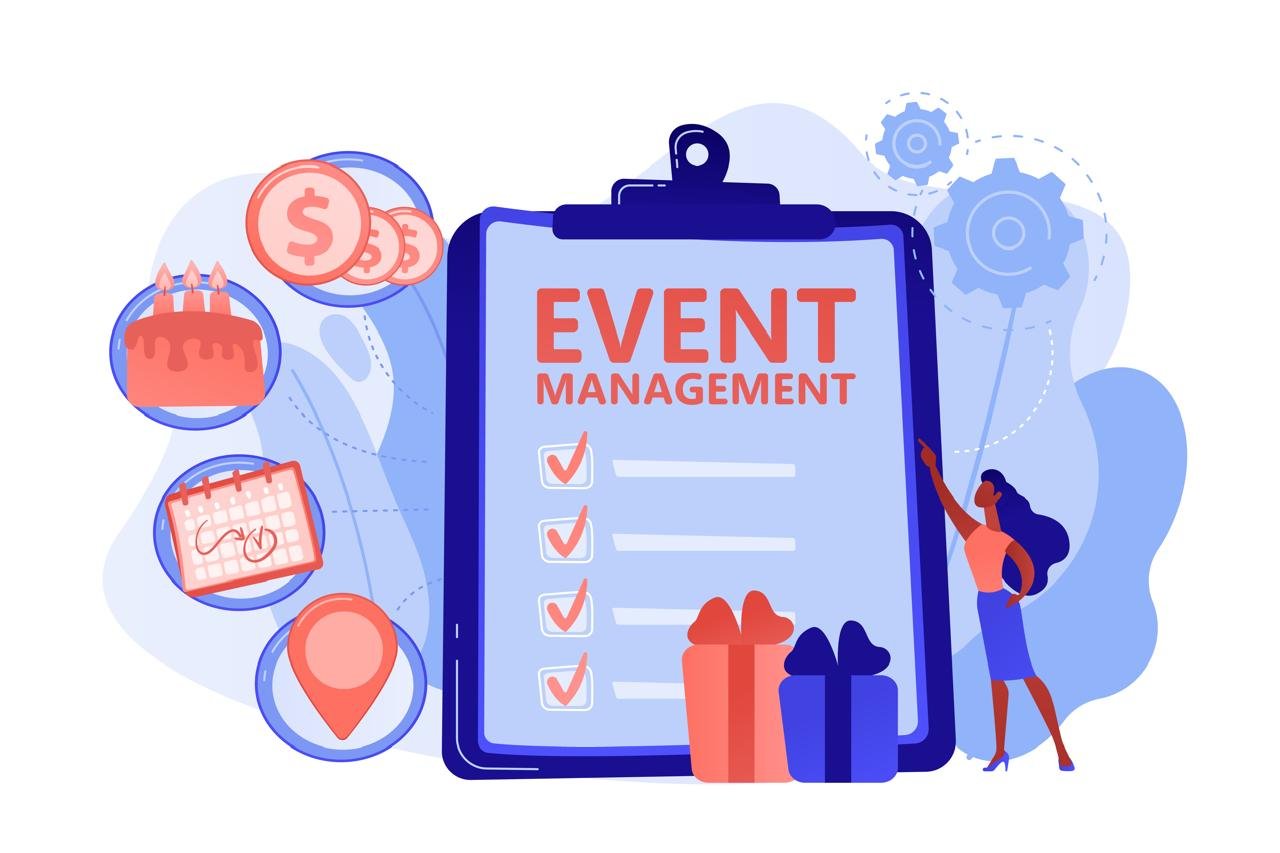
Picking the best event management software gets tricky once a program grows. A platform that works for one annual conference can start to struggle when the calendar fills up and events spread across regions, and the team ends up with disjointed tools.
Most shortlists now come down to two questions. First, do registration, check-in, and recorded booth interactions land on the same attendee profile? Second, can sales see that profile in the CRM and tell which events fed the pipeline? The answers vary a lot. Each entry below covers both.
This list covers 10 platforms. A few are full enterprise suites. The rest do a narrower job well. Platforms made the list based on registration, onsite tools, CRM integrations, pricing, and the kinds of event programs they support.
The 10 Platforms at a Glance
| Software | Best For | Standout Capability | Pricing Model |
| Eventcombo | Enterprise event portfolios | Connected revenue data | From $640/month |
| Cvent | Large meeting programs | Venue sourcing and room blocks | Custom contract |
| Bizzabo | B2B conferences | SmartBadge networking data | From $17,999/year |
| RainFocus | High-volume event marketing | First-party data | Custom quote |
| Swoogo | Busy registration calendars | Flexible registration | Per user, from $11,800/year |
| Stova | Software plus services | Managed services | Custom quote |
| vFairs | Virtual and hybrid expos | 3D virtual venues | Annual license or per event |
| Whova | Networking-focused events | Attendee community app | Custom quote |
| EventMobi | Fast branded apps | Collaborative app builder | Custom quote |
| Eventbrite | Public ticketed events | Consumer marketplace | Fees on paid transactions |
1. Eventcombo
Eventcombo is an enterprise event management platform. Event and marketing teams manage their whole event calendar on it. Teams build custom registration paths and branded event sites. Role-based access controls who sees what.
It scales with each program and supports enterprise security requirements. ZaraAI, its AI assistant, takes busywork off the team’s plate, like cloning last year’s event or sorting abstracts.
What Sets It Apart
Attendee Revenue Cloud (ARC) is Eventcombo’s revenue product for event teams. It ties what happened at the event to opportunities in the CRM. When leadership asks what an event was worth, the team can show the pipeline it generated and the deals it influenced.
Core Capabilities
- 250+ native integrations, open APIs, and an MCP server
- Kiosk check-in, on-demand badges, and lead retrieval
- Mobile event app with Smart Matchmaking
- SSO, enterprise-grade security, and advanced analytics
Pricing Model
Professional costs $640 a month and Business $1,120 a month, billed annually. Enterprise pricing is custom and adds SSO, the MCP server, and ARC. Every plan comes with unlimited events and no per-registration fees. Enterprise teams also get round-the-clock priority support. Paid tickets carry a flat processing fee.
Profile and Pipeline Check
- Shared profile: Registration, kiosk check-in, and exhibitor lead retrieval all link to the same attendee profile.
- CRM pipeline: Yes, on the Enterprise plan. ARC ties attendee activity to CRM opportunities and closed revenue.
Best Fit and Trade-Offs
Eventcombo fits enterprise teams that need registration, onsite, and revenue data in one platform. ARC, SSO, and the MCP server are part of the Enterprise plan, though. Teams on Professional or Business should check what’s included.
2. Cvent
Cvent has been around since 1999, and it now covers almost every stage of an event.
On the AI side, there’s CventIQ. It writes first drafts of emails and event pages. It also recommends sessions attendees might like.
What Sets It Apart
Venue sourcing is Cvent’s strongest area. Planners post an RFP (request for proposal) on the Cvent Supplier Network, and hotels send their proposals back the same way. Cvent Passkey takes care of room blocks.
Core Capabilities
- Registration and branded event websites
- Event diagramming for floor plans and seating
- Attendee Hub app for every event format
- Badge printing and barcode scanning at check-in
Pricing Model
Cvent bases each contract on the modules and event volume a team selects.
Profile and Pipeline Check
- Shared profile: Registration and check-in run in Cvent. Exhibitors at Cvent-managed events capture leads with Cvent LeadCapture.
- CRM pipeline: Cvent’s Salesforce app links events to opportunities and campaigns, so teams can report closed-won deals by event.
Best Fit and Trade-Offs
Big organizations that book venues all year tend to get the most out of Cvent. The trade-off is setup time.
3. Bizzabo
Bizzabo calls its platform the Event Experience OS. It mainly serves mid-market and enterprise B2B teams.
There’s also Bizzy AI, which attendees use in the Bizzabo app to find a session or check who’s speaking.
What Sets It Apart
At in-person events, attendees can wear Klik SmartBadges, which are priced separately, to log their networking contacts. That networking data ends up in a dashboard for event ROI and sponsor ROI.
Core Capabilities
- Registration and payment in a single checkout flow
- Branded websites plus attendee emails
- Mobile event app, with advanced onsite check-in as an add-on
- Streaming add-on for virtual and hybrid sessions
Pricing Model
Plans start at $17,999 per year, billed annually, with a three-user minimum.
Profile and Pipeline Check
- Shared profile: Registration, check-in, and SmartBadge networking data all live in Bizzabo.
- CRM pipeline: Registrant and engagement data can sync to Salesforce through Bizzabo’s CRM integrations, which are a premium add-on. Ask in the demo how SmartBadge interactions map to opportunities.
Best Fit and Trade-Offs
B2B teams focused on engagement and event revenue will get the most from Bizzabo. Teams with mostly virtual programs will get less from its onsite features.
4. RainFocus
RainFocus runs on first-party event data. That starts with what people type into the registration form. The platform also tracks the sessions they join.
Big in-house teams run roadshows and conferences on it. Agencies use it too.
What Sets It Apart
RainFocus organizes event work into connected modules. In July 2026, it added a Sales module that shows sales reps the engagement data for their accounts. On top of that sits Nexus, a set of AI agents that work alongside the event team.
Core Capabilities
- Registration and session content management
- Exhibitor management
- Adobe Workfront and Adobe Experience Manager integrations
- Webinars on the same data layer as in-person events
Pricing Model
RainFocus sells custom enterprise contracts. Pricing depends on contract scope and selected modules.
Profile and Pipeline Check
- Shared profile: Its Global Attendee Profile connects data from the attendee, exhibitor, and onsite modules.
- CRM pipeline: The Sales module syncs both ways with Salesforce and ties event activity to accounts and opportunities.
Best Fit and Trade-Offs
RainFocus is a good match for large enterprises that run a lot of event marketing. Implementation takes real planning across several modules.
5. Swoogo
Swoogo runs small meetups and large conferences alike, in person or online. Registration teams use it to build event sites and keep logistics organized.
In March 2026, Swoogo released an MCP server. Authorized users can now pull Swoogo event data into Claude or ChatGPT without an export.
What Sets It Apart
Swoogo built its reputation on flexible registration. Each event gets its own forms and rules. When a setup works, the team copies it to the next event.
Core Capabilities
- Event hub for content and agendas
- Call for speakers add-on
- Onsite registration and badge printing
- Automated emails and post-event reports
Pricing Model
Swoogo prices by user, not by event. Professional starts at $11,800 a year with no cap on events or registrants. Enterprise pricing is custom. Premium support and advanced onsite tools are add-ons.
Profile and Pipeline Check
- Shared profile: Registration and onsite check-in share a record. Ask how exhibitor lead data connects to those records.
- CRM pipeline: Its free native Salesforce integration syncs to contacts, leads, accounts, and opportunities. It also sets campaign status based on attendance.
Best Fit and Trade-Offs
Swoogo fits teams with many events and different registration rules for each. Complex setups need training, though.
6. Stova
Stova combines event management software with event services. Its software covers an event from planning to measurement.
Stova isn’t only for event planners. Marketing and HR teams use it, too. Role-based access controls what each of them can see.
What Sets It Apart
With Stova, teams choose how much help they get. They can run an event alone or bring in Stova’s services team for any part of it.
Core Capabilities
- Registration, agendas, and attendee email
- Room block, abstract, and budget management
- Sponsor and exhibitor management
- Event cloning for faster setup
Pricing Model
Stova quotes each deal based on the software and the hands-on help a customer wants.
Profile and Pipeline Check
- Shared profile: Registration and Stova Lead Capture run on the same platform, and exhibitors review their leads in a portal.
- CRM pipeline: Stova’s CRM integrations sync attendee and lead data, including a Salesforce connector that pushes attendee records after registration. Exhibitors can also export leads from the portal.
Best Fit and Trade-Offs
Organizations that want a long-term partner will get the most from Stova. Teams that skip the services should evaluate the software on its own.
7. vFairs
vFairs doesn’t split in-person and online events into separate tools. That lets global teams run every region on one workflow.
Its team helps with setup and training. It also stays on call during the event.
What Sets It Apart
vFairs is at its best with virtual events. Exhibitors get their own branded booth inside a 3D venue or digital exhibit hall and talk to prospects in real time. And those booths stay up after the event ends.
Core Capabilities
- Mobile event app with gamification
- Check-in and badge printing onsite
- Exhibitor and booth management
- Attendee segmentation and reporting
Pricing Model
Annual licenses come in Basic, Premium, and Enterprise tiers. vFairs also provides quotes for individual events.
Profile and Pipeline Check
- Shared profile: Registration, check-in, and lead retrieval sit in one platform.
- CRM pipeline: vFairs integrates with Salesforce and HubSpot to sync attendee data. Ask to see pipeline reporting in the demo.
Best Fit and Trade-Offs
When an event’s look and feel matters a lot, vFairs earns its spot. Busy teams should go through the license tiers one by one. Each tier caps event sites and organizers.
8. Whova
Whova covers in-person and online events in one tool. Organizers use it to get the word out, then run the day from the same app.
The attendee app and organizer tools are part of the same platform, so there’s no second system to sync. Remote attendees see the same agenda as people onsite.
What Sets It Apart
Networking drives most of Whova’s app. Attendees fill in a profile and pick their sessions. Between talks, they message each other, so networking doesn’t stop at the keynote.
Core Capabilities
- Online registration
- Agenda and session management
- Speaker profiles
- Event marketing tools
Pricing Model
Whova offers custom pricing.
Profile and Pipeline Check
- Shared profile: Registration, agenda choices, networking, and exhibitor lead retrieval all run in the same app.
- CRM pipeline: Whova’s direct HubSpot integration exports registration data as contacts, and organizers repeat the export as new registrations arrive. Salesforce connects through third-party integrations.
Best Fit and Trade-Offs
If networking is the whole point of an event, Whova is a strong pick. It’s built around attendee engagement, though. Teams that need venue sourcing or opportunity-level CRM reporting should confirm how Whova handles those before choosing it.
9. EventMobi
EventMobi is mostly about the event app, and organizers can put their own branding on all of it. Its registration also supports several languages and time zones.
It handles in-person events as well as virtual and hybrid ones. And session resources don’t disappear when the event wraps up.
What Sets It Apart
Building the app is a team effort in EventMobi. More than one planner can be in the builder at the same time. Teams bulk-import session and speaker details.
Core Capabilities
- Live polls, surveys, and networking tools
- Meeting scheduling and in-app messaging
- Personalized agendas
- Engagement analytics for app and sponsor activity
Pricing Model
EventMobi offers custom pricing based on event size and the amount of app setup.
Profile and Pipeline Check
- Shared profile: Exhibitor staff scan attendee QR codes in the Lead Capture app, using the same login as the event app.
- CRM pipeline: Exhibitors export their leads as a CSV from the Company Portal, then import them into their CRM.
Best Fit and Trade-Offs
If the app is the priority and the deadline is tight, EventMobi is worth a call. Exhibitors use a separate Lead Capture app, though.
10. Eventbrite
Eventbrite is the simpler ticketing option on this list. It pairs ticketing with a big consumer marketplace. An organizer can put an event up and sell the first ticket that same day.
What Sets It Apart
Most organizers pick Eventbrite for the marketplace. People browse it when they’re looking for events to attend. That puts public events in front of buyers who’ve never heard of the organizer.
Core Capabilities
- Free and paid ticketing with payment processing
- Email marketing on paid plans
- Check-in and attendee reports
- Sales tracking
Pricing Model
Free events don’t cost anything. Paid tickets are different. In the US, every paid ticket or add-on carries a service fee, and each order carries a processing fee. Organizers decide whether the buyer pays those fees. Fees vary by country. Check current rates before publishing a price.
Profile and Pipeline Check
- Shared profile: Registration and check-in share an attendee record. Exhibitor lead retrieval isn’t part of its core features.
- CRM pipeline: HubSpot’s Eventbrite integration tracks who registered and who attended. Salesforce and other CRMs connect through separate connectors.
Best Fit and Trade-Offs
For a public event that needs to sell fast, Eventbrite is hard to beat. Private B2B programs tend to outgrow it once they need deeper onsite and multi-event tools.
How to Pick Event Management Software That Fits
Feature lists won’t reveal much about fit. A demo shows more, especially when every vendor runs the same baseline tests.
- Give every vendor the same baseline test. Ask each one to build a registration page. Then have them pull a report.
- Layer on program-specific tests. After that, test the extras the program will really use, like lead retrieval or venue sourcing.
- Push a test record into the CRM. Test records should land in the buyer’s CRM and show up together in one report.
- Put every stakeholder in the demo. Event, marketing, sales, and IT won’t judge a demo the same way. So all four need a seat.
- Price out the full contract. The first quote is almost never the final number. Lead app fees and onsite hardware can show up later. Support tiers and per-registration fees can too.
- Settle data ownership early. Before anyone signs, the buyer should know who owns the event data. Getting it out later shouldn’t be a fight either.
Finding the Right Fit
So which platform should a team pick? It depends on how many events the team runs and what it needs to prove once they’re over. For enterprise teams that want their event and revenue data in one place, an Eventcombo demo is a good next step.
Disclaimer: This article is for general informational purposes only and does not constitute professional, procurement, or business advice. Pricing, features, integrations, add-ons, contract terms, and platform capabilities vary by vendor, plan, and region, and may change without notice. Figures such as monthly and annual prices, user minimums, and processing fees are based on the vendor information available at the time of writing and should be confirmed directly with each provider before purchasing. Some capabilities (such as SSO, ARC, SmartBadges, or CRM integrations) are plan-specific or premium add-ons. Readers should request current quotes, verify data ownership and export terms, and run their own demos and CRM tests before signing any agreement. Any mention of specific vendors does not imply endorsement. The author and publisher disclaim any liability for decisions made based on this content.
Explore ideas that spark real change—our transformative insights help you grow in ways that last.