Your child comes home excited about Blooket, a classroom game their teacher uses where they answer questions, collect Blook characters, and compete with classmates. As a parent, your first question is reasonable: is this actually safe? The short answer is yes, Blooket ranks among the safer educational platforms available. It collects minimal personal data, shows zero ads, and does not sell student information. But safety is never fully binary. This guide from an independent Blooket resource site walks through what the platform does well, where the legitimate concerns actually sit, and exactly how to protect your child while letting them benefit from a genuinely engaging learning tool used in classrooms worldwide.
What is Blooket and how does it protect student safety?
Blooket is a web-based educational quiz platform where teachers turn question sets into live game shows. Students join a session using a 6-digit join code, with no app download and no complicated setup. The platform is ad-free, does not sell student data, and generates revenue through paid teacher subscriptions instead of advertising, which is central to what makes it safer than most free games.
Blooket’s terms of service state plainly that student data is never sold, no advertisements are displayed to players, and personal information is not used for targeted marketing. Common Sense Media, a widely trusted independent reviewer of children’s technology, gave Blooket strong marks on its privacy evaluation for exactly these reasons.
From a legitimacy standpoint, Blooket is a real edtech company with a long-standing presence in classrooms across the US, UK, India, Australia, Canada, and many other countries. School districts publish it on their approved-software lists after formal privacy vetting. If you want the story of how the platform was actually built and who owns it, our guides on who created Blooket and who owns Blooket cover both in detail.
What data does Blooket actually collect from your child?
Blooket collects less personal data than most social platforms your child already uses. Students can play as guests with only a nickname and a join code, no email required. Registered student accounts add first name, last name, email, an encrypted password, and quiz activity, but that is where the collection stops. No home address, phone number, or precise location data is asked for.
For students with a registered account
Registered student accounts store a small, defined set of information used only for gameplay and progress:
- First and last name
- Email address for account recovery
- Chosen username
- Encrypted password that even Blooket staff cannot view in plain text
- Quiz responses and scores
- Blook collection progress and coin totals
- Time spent inside the platform
For guest players who join with just a code
Guest play is the most privacy-friendly option and the one I recommend for younger children. When a student joins a game through the Blooket join page as a guest, the platform collects only a chosen username, in-game responses for that single session, and basic technical information like browser type. No account creation, no email, no password.
What Blooket does not collect
The list of things Blooket does not ask for is arguably more useful than what it does:
- Home address
- Phone number
- Social media handles
- Photos or videos of the child
- Precise GPS location
- Contacts from your child’s device
Payment processing for the paid Blooket Plus subscription is handled by Stripe, a major independent payments company. Blooket itself never stores credit card details on its own servers, which reduces the risk of a leak affecting families who subscribe.
COPPA and FERPA: the legal safeguards protecting your child
Two US federal laws set the safety floor for Blooket. COPPA controls what online platforms can collect from children under 13. FERPA protects student education records. Blooket meets both through school consent, direct parental consent, or guest play, and independent evaluators including Common Sense Media have confirmed its compliance framework in published reviews.
COPPA (Children’s Online Privacy Protection Act)
COPPA prohibits online services from knowingly collecting personal information from children under 13 without verifiable parental consent. Blooket handles this through three compliant pathways.
School consent, the most common pathway: When a school uses Blooket in classrooms, the school itself can consent on behalf of parents under COPPA’s “school official” exception. The school reviews Blooket’s privacy policy, decides the platform is safe and educational, and provides consent for enrolled students.
Direct parental consent for home use: When a parent creates an account for a child outside of school, that parent provides explicit consent for the specific data Blooket collects. This is the pathway for families using Blooket for home learning.
Guest play with no account at all: Children under 13 can play any teacher-hosted game as guests using only a chosen username. No account, no email, and minimal data collection. This is the safest pathway for occasional home use.
FERPA (Family Educational Rights and Privacy Act)
FERPA protects student education records held by schools. When a school uses Blooket, the quiz responses stored in the platform qualify as education records. Blooket acts as a “school official” under FERPA, which means schools can share the necessary student data with the platform for legitimate educational purposes without needing separate parental consent per student.
In practice, this means schools keep control of student data. Schools can request deletion at any time. Schools set retention periods. Blooket functions as a service provider, not a data owner.
The real risks parents should actually know about
No online platform is completely risk-free. For Blooket, the genuine concerns are not the platform’s own design. They sit in three areas around it: user-generated question sets, third-party cheat tools and bots that carry real malware, and the absence of built-in screen time controls. Understanding each risk is the first step to managing it well.
User-generated question sets are the main content concern
Blooket hosts millions of community-made quizzes. The vast majority are educational and grade-appropriate. A small number are not. The platform’s terms state that Blooket has “the right, but not the obligation” to monitor, edit, or remove user content. That is standard language for a user-generated content platform, but it means some inappropriate quiz sets can exist between upload and moderation.
A supervised student account, which I walk through below, prevents your child from browsing random public sets on their own. It restricts them to the games you or their teacher approve.
Blooket bots and third-party hack tools carry real malware
Blooket bots are automated scripts that flood a game with fake players or auto-answer questions. They violate Blooket’s terms of service and get accounts permanently banned. That is a rule enforcement issue, not a safety threat by itself.
The genuine danger is what surrounds them. Third-party “Blooket hack” websites, browser extensions, and downloaded tools frequently contain malware. Security researchers have documented several categories:
- Trojans that create hidden backdoors for remote device access
- Keyloggers that capture typed passwords and personal information
- Cryptocurrency miners that hijack device processing power
- Ransomware that encrypts files and demands payment to unlock them
One documented incident involved a fake “Blooket Token Generator” that installed remote access trojans on more than 1,200 student devices. Attackers reached school Google accounts, personal email inboxes, and in a few cases family banking information stored on shared computers.
The parent takeaway is direct: warn your child never to download so-called Blooket hacks, token generators, or cheat tools from anywhere on the internet. The platform itself is not the threat. What people build around it can be. Our overview pages on Blooket bots and Blooket hacks explain why these tools are risky in more detail.
Chat and social features are minimal by design
Blooket is not a social network. Student profiles are not visible to the public. Direct messaging between strangers does not exist inside the platform. The Common Sense privacy review specifically notes that no student profiles are made available to the general public.
Supervised student accounts, meant for children under 13, have any remaining chat features disabled automatically.
No built-in screen time controls
Blooket does not include a “time’s up” feature. It will not stop a child from playing for hours if that is what they choose to do. Screen time management has to come from the device.
- On iPhone or iPad: use Screen Time settings for the browser
- On Android: use Digital Wellbeing or Google Family Link
- On Windows or Mac: use Windows Family Safety or macOS Screen Time
How to set up a safe Blooket experience at home
Blooket does not offer traditional parental control toggles. Safety at home comes from setting up the right kind of account, using guest play where possible, and monitoring activity from a parent dashboard. The full setup below takes about ten minutes and gives you real visibility into what your child plays and for how long.
Step 1: Create a parent or teacher account first
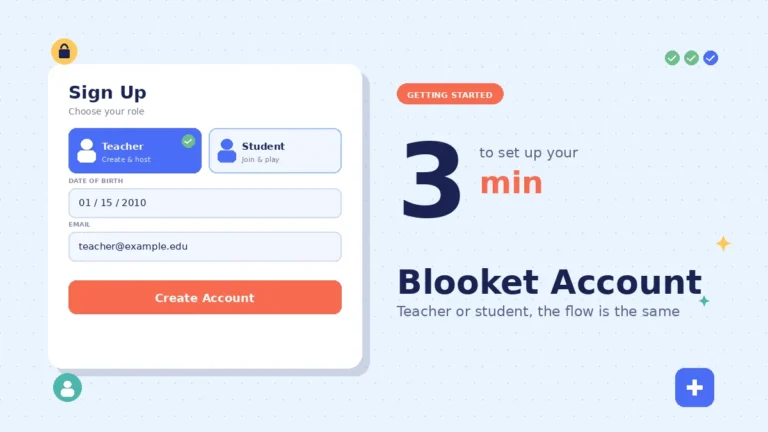
Go to the official Blooket sign-up page and register as a teacher or parent, not as a student. This account type gives you access to a dashboard where you can create supervised child accounts and see their activity. For a quick walkthrough of the sign-up flow, our Blooket account creation guide covers each field.
Step 2: Set up a supervised student account for your child
From your teacher dashboard:
- Open the Classes section
- Create a new class named something simple like “Home Learning”
- Click Add Students
- Enter your child’s name and choose a username
- Save the auto-generated password somewhere secure
A supervised account automatically blocks chat features, prevents joining random public games, restricts content creation, and requires your approval for game participation.
Step 3: Only share game codes you personally approve
When your child wants to play at home, generate a game code from your teacher account for a set you have reviewed. Your child can only join games with codes you specifically share. This turns the join step into your content filter. The Blooket code guide explains exactly how codes work if you have not used them before.
Step 4: Check your dashboard weekly
Your teacher dashboard shows which games your child has joined, how long they played, their score, and their participation history. Reviewing it once a week takes about two minutes. The main Blooket dashboard walkthrough shows where each of those data points sits.
Step 5: Set device-level screen time limits
Because Blooket has no internal time control, set the limit on the device itself. Most children play through a web browser, so restrict browser time rather than looking for a Blooket-specific app timer that does not exist.
What about existing accounts your child already created?
If your child already made a Blooket account by entering an age of 13 or older, you cannot retroactively convert it into a supervised account. You have two realistic options: create a fresh supervised account under your teacher profile and explain the switch, or keep the existing account in place and add stronger oversight around it, including device time limits and a rule about not downloading external tools.
Either path is legitimate. The supervised route is safer for younger children, while the honest-conversation route often works better with older tweens who value some independence.
Age-appropriate guidance by grade level
Blooket’s safety needs shift with age. Younger children need direct supervision and pre-approved games. Preteens can play more independently with weekly dashboard checks. Teenagers are usually old enough for a full account, and their main risks shift from privacy to time management and the temptation of third-party cheat tools.
Ages 6 to 9 (kindergarten to about 3rd grade)
Supervised accounts only, and ideally in the same room where you can see the screen. Only use teacher-provided game codes or games you have personally reviewed. At this age, guest play through a code shared by their teacher is often the cleanest setup.
Ages 10 to 12 (roughly 4th to 7th grade)
Supervised accounts are still the recommendation, but children in this range can generally play independently in a common area of the house. Check your dashboard once a week. This age group also starts wanting to create their own question sets, which is a fun learning activity you can supervise together.
Ages 13 and older (about 8th grade and up)
Blooket’s terms permit full accounts at 13. Whether your teenager should have one is a family decision. At this age, the practical concerns shift from stranger danger and data privacy to time management and the risk of downloading third-party cheat tools. A single conversation about why those tools carry malware is often more valuable than any account restriction.
How Blooket compares to other classroom quiz platforms
Blooket sits in a small group of classroom quiz platforms that share strong privacy commitments. Kahoot, Gimkit, and Quizizz all avoid selling student data and follow COPPA rules. The real differences show up in advertising, guest play options, and the amount of the platform that is usable without an account.
| Safety factor | Blooket | Kahoot | Gimkit | Quizizz |
|---|---|---|---|---|
| Sells student data | No | No | No | No |
| Shows ads | No | Limited (paid removes) | No | Limited |
| Guest play available | Yes | Yes | Limited | Yes |
| COPPA compliant | Yes | Yes | Yes | Yes |
| Chat features | Minimal | Limited | Minimal | Limited |
| Public student profiles | No | No | No | No |
Blooket compares favorably across the board. Its fully ad-free stance and minimal data collection meet or exceed the norms in this category.
Frequently asked questions
Is Blooket safe for my 8-year-old? Yes, when you use a supervised account or guest play with teacher-provided codes. Create a parent account first, set up a supervised child profile inside it, and only share game codes you have personally reviewed. In that configuration, an 8-year-old can play safely with adult supervision in the same room.
Does Blooket have inappropriate content? The platform itself is educational and moderated, but user-created question sets can occasionally contain inappropriate material before moderation catches them. Supervised accounts prevent your child from browsing random public sets. Sticking to teacher-shared or parent-approved game codes removes this risk almost entirely for younger players.
Can strangers contact my child through Blooket? No. Blooket has no direct messaging, no friend requests, and no public student profiles. Supervised accounts have any remaining chat features disabled by default. Even full accounts have minimal social interaction, which makes stranger contact essentially impossible compared with mainstream social apps your child likely already uses.
Does Blooket sell my child’s data? No. Blooket’s privacy policy states clearly that personal information is never sold or rented to third parties. The platform runs on paid teacher subscriptions rather than advertising, so there is no financial incentive to monetize student data. Independent reviews by Common Sense Media confirm this in writing.
What is the real risk with Blooket bots and hacks? Third-party cheat tools, token generators, and hack downloads frequently contain malware including keyloggers, trojans, and ransomware. The platform itself is not the danger. The websites offering to “hack” it are. Tell your child never to download anything advertised as a Blooket cheat or generator, from anywhere.
How do I delete my child’s Blooket account? Email the support address listed inside your account settings and request deletion, or ask your child’s school to request deletion for their student account. Blooket honors deletion requests, though some data may remain in encrypted backups for a set retention period before it is fully purged.
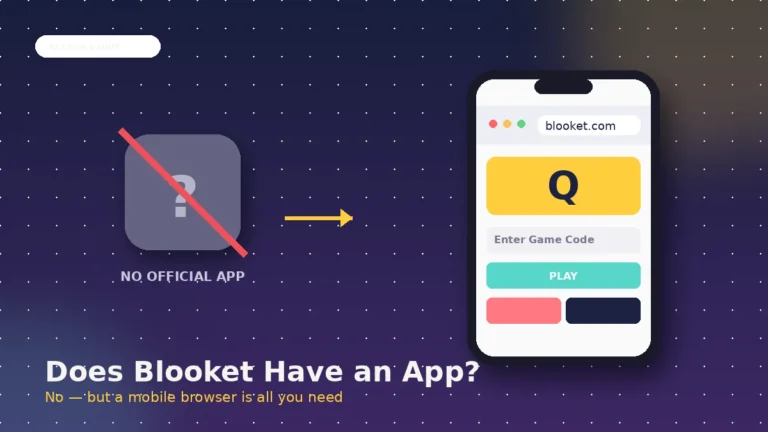
Does Blooket require an app download? No. Blooket runs entirely in a web browser at the official play URL. There is no app install, no admin permission needed, and no background service running on the device. If any website or download claims to be an “official Blooket app” outside the app stores, treat it as a red flag.
Can my child play Blooket without creating an account? Yes. Any student can join a teacher-hosted game as a guest using only a chosen username and the join code. No email, no password, and no personal information required. Guest play is the most privacy-friendly way to use Blooket, especially for younger children playing occasionally at home.
Final thoughts
Is Blooket safe for kids? Yes, with reasonable supervision. Blooket is ad-free, does not sell student data, complies with COPPA and FERPA, offers guest play with almost no data collection, and has been vetted by real school districts and independent reviewers. The real risks sit around the platform, not inside it: unvetted user question sets, third-party cheat tools loaded with malware, and no built-in time limits.
Your action step is straightforward. Create a parent account, set up a supervised child profile inside it, share only game codes you approve, and check the dashboard once a week. For deeper walkthroughs on setup, game modes your child will encounter, and pricing on the paid tier, browse the full Blooket blog on blooket.it.com.
Stay curious, stay inspired — dive into fresh perspectives you won’t find anywhere else.