A classroom goes quiet in a different way when Blooket is running. Students lean toward their screens, whispering strategy, racing to answer before their classmates. They think they’re playing a game. The teacher knows they’re reviewing the same vocabulary list for the third time that week — and nobody has complained once.
Blooket is a free, browser-based gamified learning platform where teachers convert question sets into competitive classroom games. Students join using a short numeric code with no app required. Each correct answer advances a player’s progress inside the game — building towers, collecting gold, serving virtual customers. The platform includes more than 20 million community-built question sets spanning every subject, more than a dozen free game modes, and a collectible avatar system called Blooks.
This independent guide covers what Blooket is, how every part of it works, and whether it fits your classroom, your study routine, or your child’s school life. It is not affiliated with Blooket Inc. or blooket.com.
What exactly is Blooket?
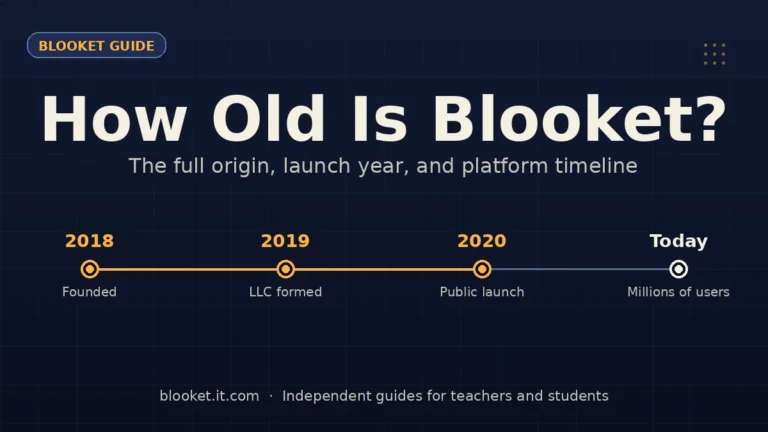
Blooket is a web-based education platform where teachers host quiz-style games and students compete or practice individually. The platform was built by brothers Tom Stewart and Ben Stewart and has grown into one of the most widely used classroom game tools in schools across the United States and in more than 140 countries globally.
The core idea is simple but effective: take a standard set of multiple-choice questions and run them inside a game that has its own mechanics, progression, and competitive structure. The questions stay the same. What changes is how students engage with them. Instead of clicking through a quiz and seeing a score, students are inside a game where answering correctly matters because it affects their tower, their gold pile, or their standing against classmates in real time.
The core game loop
Every Blooket session runs the same way, regardless of the game mode:
- The teacher hosts a game using a question set they built, imported, or found in the community library
- Students join using a short numeric code and a session username
- Questions appear on each student’s screen — they answer independently
- Correct answers generate in-game progress: resources, points, defensive units, or currency, depending on the mode
- The game ends when the time limit is up, all questions are answered, or the teacher closes it
- Blooket generates a report showing which students answered which questions correctly
The loop repeats every time. The question content is the lesson. The game is the mechanism that keeps students answering more questions than they would in a standard format.
Who uses Blooket?
Three groups use the platform regularly.
Teachers build or import question sets, select game modes, and host live sessions or assign homework games. Primary and secondary school teachers make up the majority of Blooket’s teacher base, with especially high adoption in middle school classrooms.
Students join games using a code, answer questions, earn tokens from correct answers, and collect Blooks — the platform’s avatar characters. Students with personal accounts accumulate their collection across sessions. Students playing as guests in class get the full game experience without any account.
Parents encounter Blooket when a child is assigned a homework game or mentions tokens, blooks, or specific game modes at home. The platform was built for school use, but students also use it for solo practice outside class.
How does Blooket work?
Blooket runs entirely in a web browser on any device with internet access. No app download is required on either side. Teachers manage sessions from a personal account dashboard. Students join through a separate entry page with only a code and a nickname. Both sides connect in real time during a live game.
How teachers set up and host a game
The full process from login to live game takes about five minutes once you have a question set ready.
- Create a free account at blooket.com via Google or email sign-in
- Open the dashboard. The Blooket dashboard is where question sets, game history, and reports live
- Build or find a question set. Use the Create tab to build one from scratch, import from Quizlet, or search the Discover library for community-built sets on any topic
- Click Host on any question set. Choose a game mode from the list, set a time limit if desired, and click Play
- Share the join code. Blooket generates a 6-digit code. Display it on a classroom screen. Students enter it at play.blooket.com
- Start the game once students are inside the lobby. Monitor the teacher view to see student progress in real time
After the session ends, the results report appears automatically. For a full breakdown of every hosting option, the Blooket host guide covers each setting in detail.
How students join and play
Students do not need accounts to join a live class game. The entry process takes about 20 seconds:
- Go to play.blooket.com — or click the link your teacher shares
- Enter the 6-digit game code displayed by the teacher
- Type a session username — typically your first name or a nickname
- Wait in the lobby while the teacher starts the game
Once the game starts, each student sees questions on their own screen. They tap or click the correct answer from four options. Correct answers advance their position in the game. Other students’ progress is usually visible on a shared classroom screen or in the game itself, depending on the mode.
For a student-side walkthrough, the Blooket join guide covers the process with step-by-step detail.
Homework and assignment mode
For assigned practice outside class, teachers create an assignment instead of a live game. The process:
- Click Assign instead of Host on any question set
- Set a deadline — anywhere from the same day to up to a year out
- Share the assignment link via Google Classroom, Canvas, email, or any learning platform
Students click the link and start the game at their own pace. Blooket records each student’s answers, accuracy, and time. The teacher sees a report once students complete the assignment. Students with accounts have results saved to their profile. Students playing as guests complete the session but results are recorded in the teacher’s assignment report rather than a personal account.
What game modes does Blooket have?
The game modes are what genuinely distinguish Blooket from every other quiz platform. The same question set can run inside completely different game formats, each with distinct mechanics, pacing, and competitive structure. A student who answers “cell membrane” correctly does something entirely different depending on which mode is running — they might place a defensive tower, collect a coin, or knock out a rival.
The free game modes and what each one does
| Game mode | Core mechanic | Best for |
|---|---|---|
| Tower Defense | Place and upgrade towers with correct answers to stop enemy waves | Science, history — suits strategic thinkers |
| Tower Defense 2 | Same concept, expanded mechanics and new unit types | Classes familiar with the original TD mode |
| Gold Quest | Collect treasure; random events let players steal from each other | Vocabulary, high-energy competitive review |
| Café | Serve virtual customers faster by answering correctly | Younger students, fast-paced sessions |
| Battle Royale | Elimination — wrong answers remove you from the round | Test prep, competitive classes, quick rounds |
| Racing | Speed and accuracy determine race position | Fact fluency, math drills, timed practice |
| Factory | Run a production line; accuracy drives output rate | Older students, medium-paced content review |
| Crypto Hack | Puzzle-style hacking mechanic with unique progression | Tech-interested students, high school use |
| Monster Brawl | Battle opponents using power-ups earned from correct answers | Team play, collaborative review sessions |
| Fishing Frenzy | Catch virtual fish based on answer accuracy | Younger grades, calmer pacing |
| Crazy Kingdom | Build and defend a kingdom through question performance | Creative problem-solving contexts |
| Classic | Straightforward points per correct answer, no complex mechanics | First-time players, simple content review |
| Study | Self-paced individual mode with no competitive elements | Solo practice, low-stakes preparation |
Additional modes are available through Blooket Plus, the paid subscription tier. The free modes above cover the vast majority of classroom scenarios without any upgrade.
Choosing the right mode for your subject
Mode selection affects how students allocate mental attention. Some modes demand constant interaction with game mechanics; others let students focus almost entirely on the question.
After running the same 40-question biology set through four different modes with groups of similar students, here is what consistently held up:
Gold Quest works reliably for vocabulary and foreign language sets across all secondary grade levels. Rounds are short, turns happen quickly, and the steal mechanic keeps students at maximum attention because the leaderboard can shift in seconds.
Tower Defense suits content where longer answers need more reading time — science definitions, historical context, geography facts. The placement mechanic gives students a brief decision window between questions that reduces the feeling of being rushed.
Battle Royale is the most effective mode for genuine test preparation. Elimination means every wrong answer has a real consequence. Students in elimination tend to re-read questions more carefully than in modes where wrong answers just cost points.
Classic is consistently the best first session. No game mechanics to learn, no confusion about what to click beyond the answer itself — all cognitive load goes to the content. Once students know the platform, more complex modes add motivation without adding friction.
Blooket Plus exclusive game modes
Blooket Plus subscribers unlock additional game modes beyond the free list. These include Laser Tag, Busy Bees, Mini Mine, Star Grazer, and a rotating set of themed variants. Plus also raises the live game player cap from 60 to 300 students — relevant for school assemblies, grade-level events, or any situation where a full year group needs to join the same session.
The full breakdown of Blooket game modes — including what each one looks like in play — has its own dedicated guide on this site.
What are Blooks and how does the token system work?
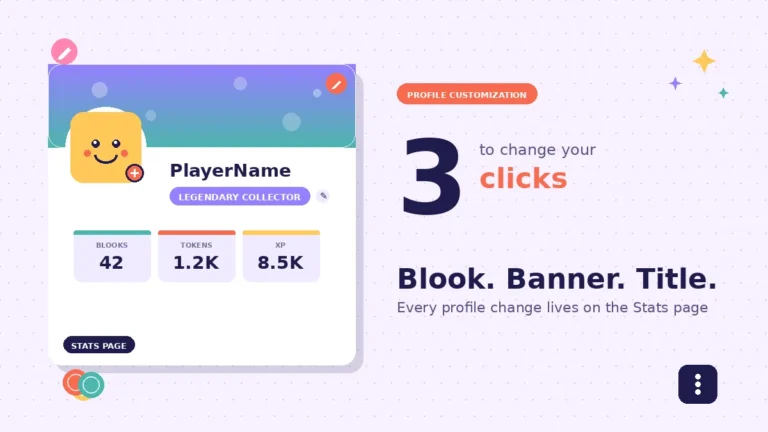
Blooks are Blooket’s collectible avatar characters: small, square illustrated creatures that students choose to represent themselves in games and on their profile. The collection spans more than 300 individual Blooks across multiple rarity tiers. This collection layer adds a persistent motivation structure that operates across sessions — students don’t just play for today’s game result, they play to add to a collection that builds over time.
How students earn tokens
Tokens are Blooket’s in-game currency. Students earn them by answering questions correctly during gameplay. The faster and more accurately a student plays, the more tokens they collect per session. Free accounts have a daily token earning cap — roughly 300 to 500 tokens per day — after which additional play in that session doesn’t generate more tokens.
Students spend tokens in the Blooket shop to open Blook packs — bundles of characters that unlock randomly, similar in structure to trading card packs. Each pack targets a specific rarity tier or theme.
Blook rarity tiers explained
The collection uses a rarity system with increasingly rare characters at each level:
- Common and Uncommon: High pull rates from standard packs; these are the foundation of most students’ collections
- Rare and Epic: Less frequent, available through specific packs rather than basic ones
- Legendary: Approximately 0.2–1% pull rate depending on the pack
- Chroma: Animated variants of existing characters; approximately 0.02–0.3% pull rate — essentially the top tier within standard pack pulls
- Mystical: The rarest category, distributed through Blooket contests and special events rather than random pulls
Why the token system matters for classroom engagement
The collection mechanic solves a problem every teacher recognizes: students who finish first in a quick session have no motivation to continue. With the token system, finishing a game quickly means earning more tokens toward a pack they’ve been chasing for a week.
Students who care about their collection become consistently self-motivated to keep playing — which means answering more review questions per session than the teacher ever assigned. In a 30-minute Gold Quest session observed with a seventh-grade vocabulary class, the highest-engagement students had answered 60–70 questions by the time the lower-engagement students had answered 35–40. The difference was token motivation, not competitive pressure.
Is Blooket free? Blooket Plus explained
Blooket’s free tier is genuinely complete for most classroom use. A teacher on a free account can build unlimited question sets, run live games with up to 60 players, assign homework with deadline control, and view accuracy reports after each session. For a typical class of 25–35 students, the free tier covers a full school year of use without any cost.
What the free account includes
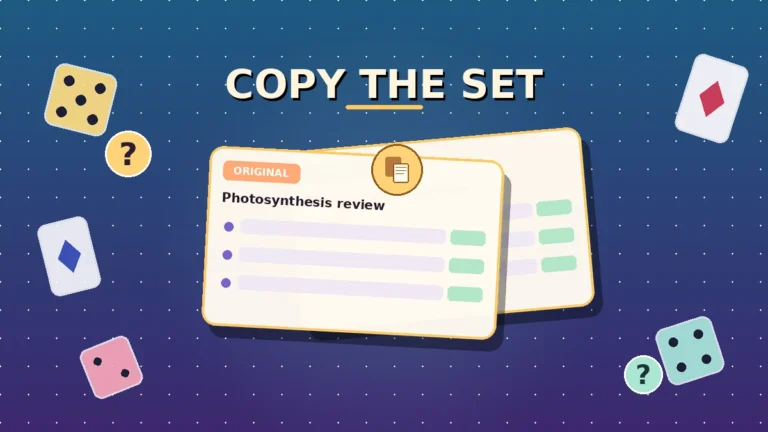
- Unlimited question set creation, editing, and duplication
- Access to the Discover library with 20+ million community question sets
- All core free game modes (13+ modes available)
- Live hosting for up to 60 students per game
- Homework assignment mode with deadline control
- Post-game accuracy reports by question
- Full token and Blook system for students
What Blooket Plus adds
Blooket Plus is a paid subscription that extends the platform beyond what free accounts can do. Key additions include:
- Live game player cap raised from 60 to 300 students per session
- Exclusive game modes not included in the free tier
- Student-level accuracy breakdowns in reports (vs. class-level only on free)
- CSV export of game data for gradebook integration
- Early access to new Blooks before general release
No specific price is listed here — Blooket’s subscription pricing changes and the current rate is always shown on blooket.com. Historically it has been structured as a low-cost monthly or annual plan for individual teachers, with separate school and district tiers for larger deployments.
| Feature | Free account | Blooket Plus |
|---|---|---|
| Core game modes | 13+ free modes | All free modes + exclusive Plus modes |
| Live player limit | Up to 60 | Up to 300 |
| Question set creation | Unlimited | Unlimited |
| Homework assignments | Yes, with deadlines | Yes, with deadlines |
| Post-game reports | Class-level accuracy | Student-level + CSV export |
| Blook early access | No | Yes |
| Cost | Free | Paid subscription |
The free tier is the right starting point for every teacher new to the platform. Plus makes sense once you’ve verified Blooket fits your teaching style and have a specific need it addresses — most often the player cap or the individual student reports.
Is Blooket safe for students?
Yes, with a few practical considerations worth knowing. Blooket was built for classroom use, collects minimal student data, contains no advertising in the student experience, has no chat or direct messaging system, and complies with COPPA (Children’s Online Privacy Protection Act) guidelines for users under 13.
Common Sense Media has independently reviewed Blooket’s privacy practices and confirmed the platform’s compliance framework. For a detailed breakdown of every privacy dimension, the Blooket safety guide on this site covers the topic completely.
What data does Blooket collect?
The data Blooket collects depends on whether students play as guests or with accounts.
Guest players (most common for class games): The only information collected is a session username, which students choose themselves. No email, no real name, no account data. Guest session data does not persist after the game ends.
Students with accounts: Name, email address, and username are collected. For students under 13, Blooket requires verifiable parental consent before account creation, or school consent under COPPA’s educational institution exception — which covers most classroom deployment scenarios.
Blooket’s official privacy policy states that student personal information is never sold or shared with advertisers. The platform makes its money from teacher and school subscriptions, not from student data.
No chat, no ads, no real-money purchases for students
Three common parent concerns about ed-tech platforms, addressed directly:
No chat system. Students only see other players’ usernames on leaderboards during games. There is no in-game messaging, no friend requests, and no way for students to contact each other through the platform.
No advertising. The student-facing experience is completely ad-free. Blooket’s revenue model is teacher and school subscriptions, not advertising.
No real-money purchases for students. Tokens and Blooks are earned through gameplay only. Students cannot spend real money inside Blooket. Blooket Plus is sold to teachers and schools, not to students.
Safe setup tips for teachers and parents
- Use guest mode for class games whenever student tracking is not needed — no account data at all
- Preview any community question set before running it with students — community content is user-generated and not individually reviewed by Blooket
- For homework assignments where tracking matters, notify parents before requiring students to create accounts
- When students do create accounts, use a school email or a family email address — not a personal primary email
How to get started with Blooket
Getting started as a teacher
A first Blooket game can be hosted within 10–15 minutes of creating an account, assuming a question set is ready to go.
- Sign up for a free account at blooket.com. The Blooket login page supports Google sign-in or email registration — Google is faster.
- Explore the dashboard. The Blooket dashboard shows your question sets, game history, reports, and the Discover library. Spend five minutes clicking through before building anything.
- Get your first question set. Three options:
- Create one from scratch using the manual editor — good for precise content control
- Import from Quizlet if you already have sets there — a 75-term set imports in under two minutes
- Search the Discover library for a community-built set on your topic — fastest option for a first test run
- Host your first game. Click Host on any set. Choose Classic as your first mode — no mechanics to explain, zero confusion. Students see only the question and four answers.
- Display the join code. Share the 6-digit code on your classroom screen or send the play link directly. Wait for students to appear in the lobby.
- Start and monitor. Once students are in, start the game. Your teacher view shows who is answering and how accurately in real time.
- Review the results. After the game, spend five minutes with the accuracy report. Questions that fewer than 60% of students answered correctly become the foundation of your next review session.
Getting started as a student
For a live class game, students need nothing but the code their teacher provides.
- Open a browser on any device — laptop, tablet, phone, Chromebook
- Go to play.blooket.com
- Type the 6-digit code shown by your teacher
- Choose a username for the session
- Wait in the lobby until the teacher starts the game
- Answer questions as they appear — tap or click the correct option
To save tokens and build a Blook collection across sessions, create a free account at blooket.com. Creating an account is optional for class games but required for persistent progress.
Blooket vs other classroom game platforms
Blooket competes alongside Kahoot, Gimkit, and Quizlet Live. Each platform takes a different approach to classroom games, and the right choice depends on what a teacher values most — variety, content access, free tier limits, or student progression mechanics.
| Feature | Blooket | Kahoot | Gimkit | Quizlet Live |
|---|---|---|---|---|
| Free game mode variety | 13+ distinct modes | 1–2 formats | Multiple modes | 1 cooperative format |
| Student accounts for basic play | Not required | Not required | Not required | Not required |
| Avatar or collection system | Yes (300+ Blooks) | No | Yes | No |
| Community question library | 20M+ sets | Moderate | Limited | 500M+ Quizlet sets |
| Homework/async mode | Yes | Yes | Yes | Yes |
| Free live player limit | 60 | 50 | Limited | 40 |
| Ad-free student experience | Yes | No (free tier has ads) | Yes | Yes |
| Suitable grade range | K–12 | K–12 | K–12 | K–12 |
Kahoot has the highest name recognition in classroom games and an enormous question library, but the free tier shows ads to students and offers fewer distinct game formats than Blooket. Speed-based scoring in Kahoot consistently favors fast readers and disadvantages students who process more slowly.
Gimkit shares Blooket’s in-game currency concept — students earn money and spend it to upgrade their game position. The mechanic is deeper than Blooket’s token system in some modes but the free tier restricts player counts more tightly. Gimkit attracts teachers who want economic strategy as a central game element.
Quizlet Live makes the most sense when a teacher’s content already lives in Quizlet’s library, which has over 500 million community-built sets. The trade-off is game format variety: Quizlet Live runs one cooperative format rather than the menu of individual game modes Blooket offers.
For teachers new to classroom game tools, Blooket is the strongest starting point: the free tier is generous, the modes are varied enough to stay fresh across a full school year, and setup takes minutes once you have a question set.
Common misconceptions about Blooket
Several persistent myths about Blooket circulate among teachers who haven’t tried the platform themselves or who tried it briefly and moved on before exploring more than one mode.
“Blooket is just a Kahoot clone”
Kahoot and Blooket both run quiz-based classroom games. Beyond that the products are structurally different. Kahoot presents every student with the same question simultaneously, scored by speed on a shared timer. Blooket runs each student’s game experience semi-independently — questions appear based on their progress inside a game world, not from a synchronized teacher-controlled clock.
The more significant difference is mode variety. Running the same vocabulary set as Tower Defense on Monday, Gold Quest on Wednesday, and Battle Royale on Friday changes how students engage with identical content across the week. That rotation matters for spaced repetition and keeps students from tuning out a format they’ve memorized.
Kahoot has one primary game format. Blooket has more than a dozen.
“Blooket only works for younger students”
The platform has visual styles that range from cartoonish (Café, Fishing Frenzy) to strategy-focused (Tower Defense, Factory) to competition-intense (Battle Royale, Crypto Hack). Teachers who dismiss Blooket as too young often encountered the Café or Fishing Frenzy modes first.
The question content determines the intellectual level — not the game wrapper. Advanced Placement biology review material in a Battle Royale format engages 16-year-olds effectively. The same students would find a cartoon café irrelevant, but that’s a mode-selection issue, not a platform issue.
“The games distract students from the actual content”
This concern is legitimate and worth testing before dismissing. Some students — particularly those who care deeply about game mechanics — will optimize for game strategy rather than question accuracy. In Gold Quest, a student can steal gold from a leader without answering questions. If the game layer is pulling attention away from the content, that’s a mode mismatch problem.
The fix is mode selection. Classic, Study, and Battle Royale minimize distracting game elements. Students in these modes spend their attention almost entirely on questions. The research that has been done on Blooket’s educational effectiveness — including a study on hiragana acquisition that found statistically significant score improvement after Blooket-based practice — tends to use simpler modes where the question and the game progression are tightly aligned.
Blooket works best as a review and reinforcement tool, not as primary instruction. Students who have already encountered the material in a lesson respond to game-format review better than students seeing the content for the first time inside a fast-paced game.
“You need to pay to use it properly”
The free tier is a complete classroom product. More than 13 game modes, unlimited question set creation, 60-player live games, homework assignment mode, and class-level accuracy reports cover most teachers’ full-year needs without any subscription. Blooket Plus extends specific capabilities — player limits and individual student reports primarily — but is not required for effective classroom use.
A free account is the right starting point for any teacher. Upgrade to Plus only after you’ve confirmed that a specific feature on the paid tier addresses a real problem in your workflow.
FAQs
The most common questions about Blooket cluster around three areas: what it is and does, how much it costs, and how safe it is for students. The answers below cover all three, along with a few questions that arise once teachers or students start using the platform regularly.
What is Blooket in simple terms? Blooket is a free online education platform where teachers host quiz-based games for students. Teachers choose a question set and a game mode. Students join with a code, answer questions, and earn in-game currency from correct answers. No app download is needed. Students do not need accounts to join a live class game.
Is Blooket completely free? The core platform is free. A free account covers all basic classroom needs: 13+ game modes, unlimited question sets, live hosting for up to 60 students, homework assignment mode, and basic reports. Blooket Plus is a paid subscription for teachers or schools that need higher player limits, exclusive game modes, and student-level reporting.
Do students need accounts to play Blooket? No. Students join live games with a 6-digit code and a session username only. No email, no password, no account needed for basic class play. Accounts become useful for students who want to save tokens and maintain a Blook collection across multiple sessions.
Is Blooket safe for children? Yes, with sensible setup. Blooket is COPPA-compliant, ad-free in the student experience, contains no chat or messaging system, and collects only a session username for guest players. Students cannot make real-money purchases. For students under 13 who want personal accounts, parental or school consent is required. Guest mode is the safest option for class play.
How many students can join one Blooket game? Free accounts support up to 60 students per live game — enough for most single-class sessions. Blooket Plus raises the limit to 300 players per session, which covers school assemblies, department-level review events, or multi-class sessions.
Can Blooket be used for homework? Yes. Teachers assign games with deadlines and share a direct link. Students complete the session independently at their own pace. Blooket records accuracy and time. The teacher sees a report once students have played. Assignment links work through Google Classroom, Canvas, email, or any sharing method.
What subjects work best in Blooket? Any subject using factual recall or concept identification translates well: foreign language vocabulary, science definitions, math facts, history dates, geography, grammar rules, and literature terms. Open-ended or essay-format questions don’t translate to Blooket’s multiple-choice structure.
What are Blooks? Blooks are Blooket’s collectible avatar characters — small illustrated square creatures students choose for their profile and game identity. More than 300 exist across rarity tiers from Common to Mystical. Students unlock them by spending tokens, which are earned from correct answers during gameplay. No real money is involved in the student-side token or Blook system.
Final thoughts
Blooket solves a specific and common classroom problem: getting students to voluntarily engage with review material more times than they otherwise would. It doesn’t introduce new concepts, replace strong direct instruction, or substitute for a well-designed lesson. What it does — reliably and without complicated setup — is make the practice phase of learning feel like something students choose to do rather than something imposed on them.
For teachers new to the platform, starting with a Classic or Gold Quest session using a Quizlet import is the fastest path to a useful first result. Once you’ve seen how your class responds, exploring the other modes and building custom sets becomes a natural next step.
The Blooket host guide walks through every setting for running a first live session. For guides on building question sets, understanding game modes in more depth, using Blooket for different subjects, and more, browse the independent Blooket resource library at blooket.it.com.
Turn knowledge into action — start with our latest articles designed for success.